
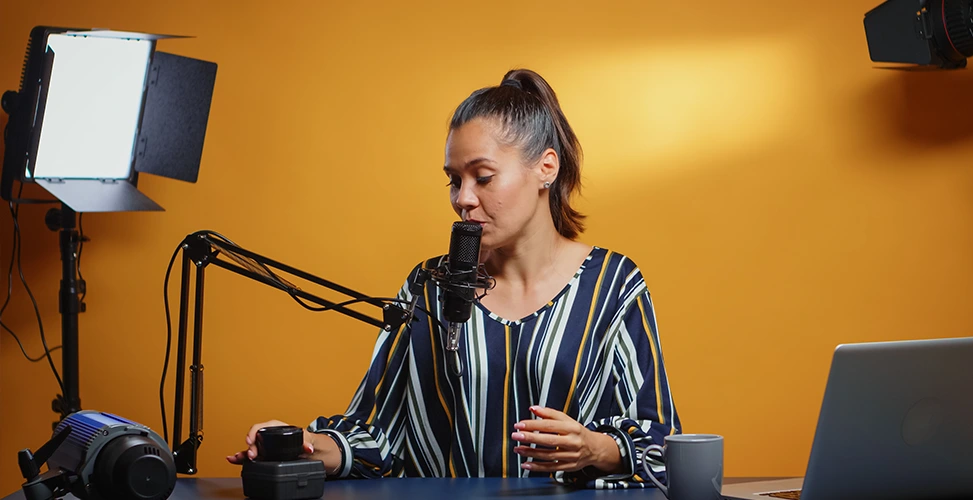
Most people who decide to launch a video podcast spend weeks choosing a camera and leave lighting until the very last moment. This prioritization is the wrong approach to building out your video recording setup, because a mid-range camera under balanced, professional lighting almost always looks better than an expensive camera under the poor lighting of an overhead bulb or inconsistent ambient light. This is exactly the point where finding the best lighting for video podcasts shows its true importance. So if you don’t want your audience to see you as an amateur, and you don’t want them to lose interest halfway through your podcast because of bad lighting, keep reading this article.
If you’ve already read our complete podcast equipment guide, this article is a kind of companion to it, focused specifically on lighting. Below, we first go over the basics of podcast lighting, then introduce the best video podcast lighting kit across three different price tiers.
What Is the Best Lighting for a Video Podcast?
Why Lighting Matters as Much as Your Camera for Video Podcasts
A lot of people launching a video podcast focus mainly on buying a camera and treat lighting as a secondary choice — when in reality, it’s the opposite. The audience judges the picture before they even hear the content of the show, and that initial judgment determines whether they stay on the video or click away. The importance of getting the best lighting for video podcasts comes from exactly this concern: audiences want to see a more professional look alongside good audio.
This also has a direct effect on audience retention. On platforms like YouTube, the thumbnail and the first few seconds of the video play a decisive role; viewers will click away from a podcast — before hearing even a single sentence — simply because the picture looks dark, low-contrast, or unbalanced. For this reason, investing in a proper lighting kit shouldn’t be seen as an optional expense next to your camera and microphone.Once your lighting is set up right, pairing your lights with the best camera for podcast is what pulls the whole picture together.
Three-Point Lighting Explained (Key, Fill, Backlight)
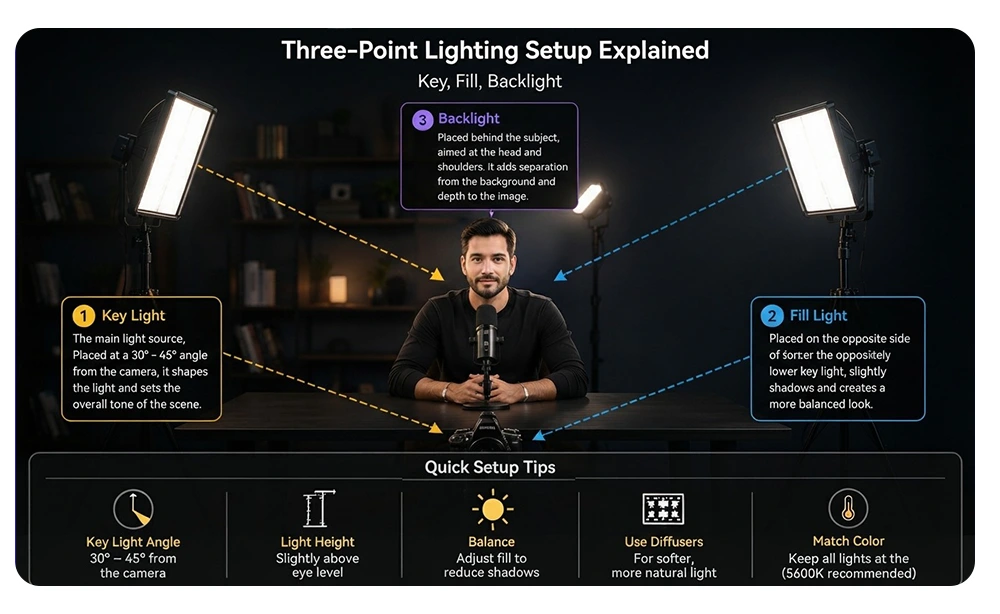
Nearly every well-lit video podcast, from interview-style shows to solo podcasts, is built on one shared structure: a three-point lighting setup for podcast. This structure originally comes from the film and television industry, but it can just as easily be set up in a small home studio for podcast recording.
- Key Light is the main light source in the scene. This light should sit beside the camera, angled properly toward the host’s face. The Key Light does most of the work of lighting the frame and determining the color of the image, and it should be the main focus when putting together the best lighting for video podcasts.
- Fill Light sits across from the Key Light, slightly lower. Its job isn’t to add brightness — it’s meant to soften the shadows created by the Key Light. Without it, one side of the host’s face can end up noticeably darker than the other, which looks unbalanced in the final image.
- Backlight (sometimes also called a rim light or hair light) sits behind the host, aimed at the back of the head and shoulders. This light creates a subtle edge that separates the subject from the background and adds depth to the image, instead of the picture looking flat and two-dimensional.
You don’t need to buy three expensive, identical lights to set this up. Many budget and mid-range kits pair a stronger Key Light with a dimmer Fill Light, and some hosts working in small spaces skip buying a Backlight altogether — but understanding the role of each one helps you buy the right equipment instead of just guessing.
What to Look for in a Podcast Lighting Kit
Before comparing products on the market and making a decision, it helps to know which technical specs actually matter and which ones are just marketing.
Brightness & Beam Angle
Brightness is usually measured in lumens, but the raw amount of brightness doesn’t matter as much as how the light spreads. A narrow angle throws a focused, powerful beam onto one spot, which works well for a single host close to the camera, but it becomes harder to light two or three people at a table evenly. A wider angle spreads more softly and is easier to work with for multi-person setups, though it may need a diffuser to keep the image from looking flat.
CRI and Color Temperature
CRI, or Color Rendering Index, is another important factor when buying the best lighting for video podcasts. This metric measures how accurately a light source renders colors compared to natural daylight, on a scale up to 100. For video, anything below 95 becomes noticeably visible in the image — skin tone can shift slightly toward orange, green, or grey depending on the light. Most kits suitable for video have a CRI above 95, and it’s better to treat this spec not as a bonus, but as a core purchasing requirement.
Color temperature, measured in Kelvin, determines whether a light leans warm (lower number, more orange) or cool (higher number, more blue). Daylight-balanced lights are usually around 5600 Kelvin and are the standard for most podcast setups, since they match most cameras’ white balance settings and blend well with natural light coming in through a window.
Size, Portability, and Mounting
If you’re recording your podcast in a home office or studio rather than a dedicated space, the amount of room your equipment takes up matters, and it’s something you should factor in when choosing the best lighting for video podcasts. LED panels and COB lights mounted on stands take up more space than clip-on or desktop lights, but in exchange they offer more flexibility for adjusting angle and distance.
Before buying, decide whether you’ll be packing your equipment away after every recording session or keeping it permanently set up — that decision determines whether you should go with compact clip-on lights or a full stand-based setup. This matters even more if you’re building a full home video production studio rather than just recording occasionally.
Best Budget Lighting Kit for Video Podcast (Under $100)
If you’ve just launched your video podcast and a regular desk lamp or overhead light isn’t cutting it, it’s a good idea to look at products under $100 — these two options are the most popular and best lighting for video podcasts in this price range.
Elgato Key Light Neo
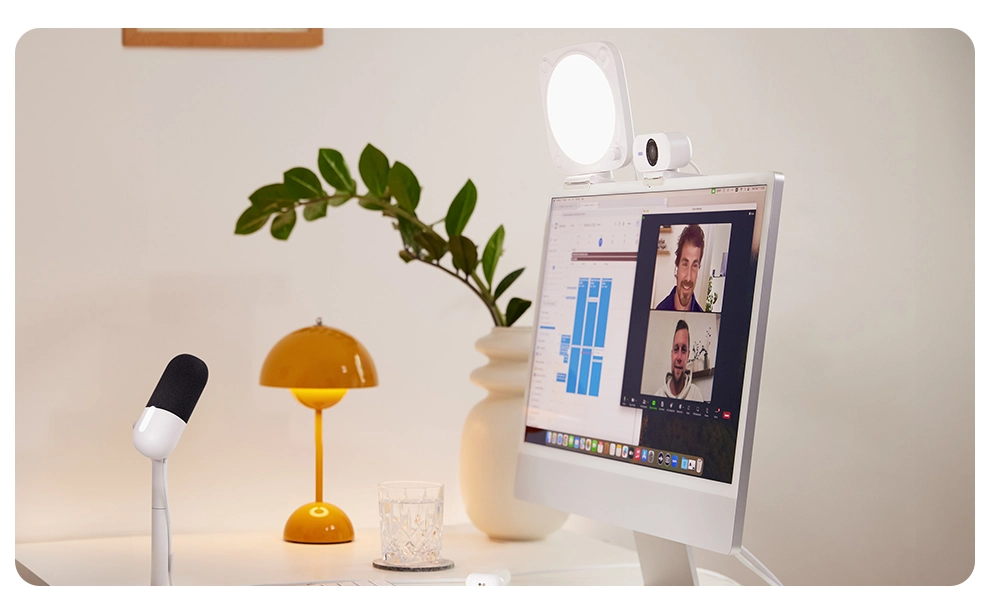
The Elgato Key Light Neo is designed for people who work at a desk, which naturally makes it a good fit for a solo or two-person home podcast. This light clips onto the edge of a desk or monitor and keeps your floor space free; its brightness and color temperature are adjusted through companion software rather than physical buttons — a useful feature for when you’re already dealing with camera settings and don’t want to also manage a physical light. As a standalone unit, this light performs best in the role of a Key Light; pairing it with a cheaper Fill Light completes a basic three-point setup without going far past this budget.
Neewer 2-Light Softbox Kit
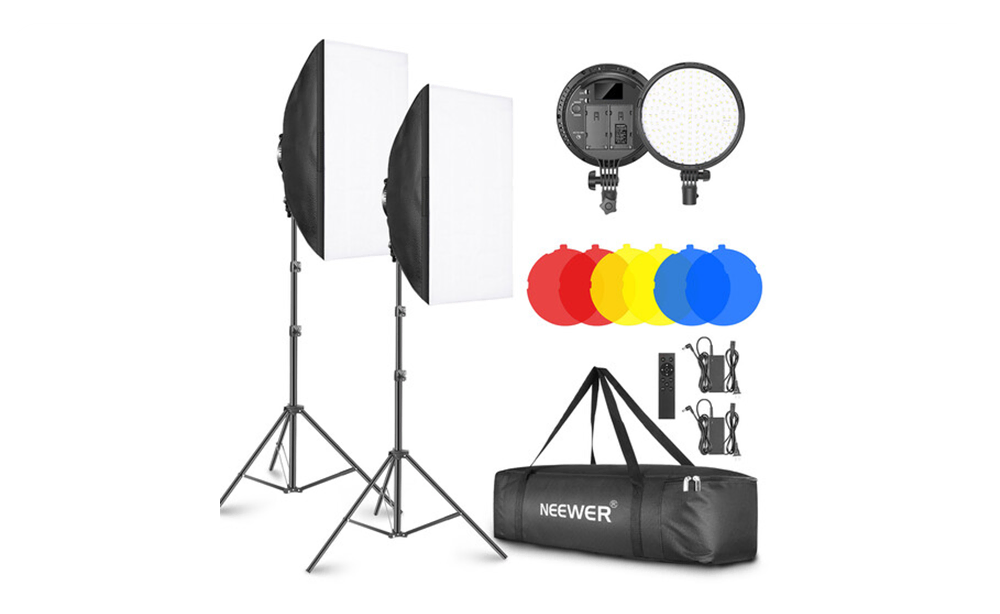
While the Key Light Neo is a single, desktop light, the Neewer 2-Light Softbox Kit follows a more traditional path: two softboxes on adjustable stands, designed from the start to serve as Key Light and Fill Light. A softbox spreads light through a fabric surface, which naturally softens shadows and distributes brightness more evenly between two hosts sitting side by side. In exchange for losing the compactness of the Key Light Neo, this kit offers genuine three-point coverage, making it a good choice for anyone recording regularly with a co-host rather than solo.
Best Mid-Range Video Podcast Lighting Kit ($100–$200)
When you’re recording consistently and need more control over color, brightness, and consistency across episodes, RGB LED panels are the logical next step.
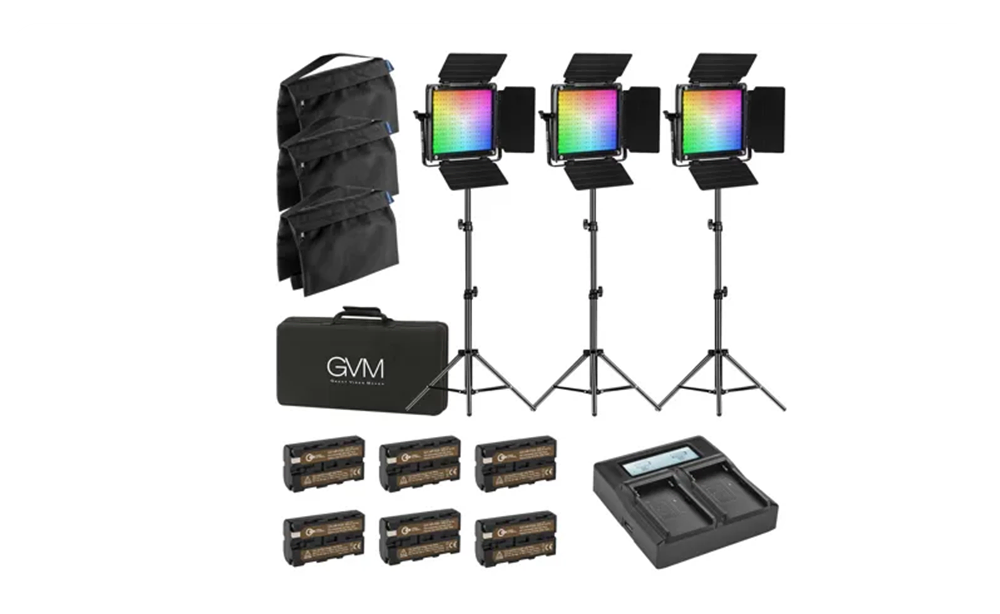
GVM RGB 800D Panel
The GVM RGB 800D Panel fits comfortably into the mid-range price tier and offers a feature that budget options lack: full RGB color control alongside standard daylight-balanced white light. For most podcast recordings, you’ll stay in white-light mode, but the RGB capability is useful for decorative background lighting, or for creators who also produce short-form video content and want a colored backlight for extra visual appeal. This panel’s higher CRI compared to entry-level panels means more accurate skin tones right out of the box and less need for color correction in post-production. A single 800D panel works well on its own as a Key Light; many hosts buy two of them for a matched Key-and-Fill setup.
Best Pro-Level Lighting Setup (Over $200)
For studios recording with guests daily or weekly, or for anyone who cares about video as much as audio, it’s worth going for broadcast-grade equipment.
Aputure amaran COB + Softbox
The Aputure amaran COB setup consists of a high-output, high-CRI COB (chip-on-board) light source paired with a softbox. This gives you the power of a professional light along with the softness needed for close-up shots of a face. COB lights run brighter and more consistently than similarly sized panels, which matters in larger rooms or studio spaces where the light needs to cover more distance without losing intensity. This setup is typically used as a Key Light, paired with another amaran unit or a softbox kit for Fill. This is exactly the kind of setup used in a dedicated video production studio, and it’s exactly the lighting already set up and running at Studio 321 for every recorded episode.
Ring Light vs. Softbox vs. LED Panel: Which Should You Choose?
You’ll likely come across these three options while searching for the best lighting for video podcasts. Before anything else, you should know that each of these three formats solves a different problem, and the right choice depends more on your setup than on which one is objectively “better.” The debate of ring light vs softbox for podcasts is centered exactly on these differences.
- A Ring Light creates a distinct circular catchlight in the eyes and wraps light evenly around a face close to the camera. This option is popular for solo, close-up content, but it doesn’t perform well with two or more hosts, since only the person positioned exactly at the center of the ring receives even light coverage.
- A Softbox spreads light through a fabric surface and produces the softest, most natural-looking shadows of the three options. This is the most flexible choice for multi-person setups, since you can adjust its angle and distance, but it takes up more physical space and usually needs a stand.
- An LED Panel provides a flat, even light source that’s easy to adjust and often includes variable color temperature or an RGB mode. If you’re looking for some of the best LED lights for podcast studio use, this is usually the category to focus on: the LED Panel sits in a good middle ground between the previous two options — more even coverage than a Ring Light for multiple hosts, and more compact than a Softbox — though without a diffuser, its light may look a bit harder-edged.
If you’re recording solo and close to the camera, a Ring Light is the simplest option. If you’re recording with a co-host or guests, a Softbox or LED Panel will look more natural.
Avoiding Fan Noise & Light Hum That Ruins Your Audio
This is one of the areas that fewer buying guides for the best lighting for video podcasts cover, but it matters a lot: interference between a lighting kit’s fan noise and your microphone. Some LED lights, especially high-power panels and COB lights, use an internal cooling fan to prevent overheating during long recording sessions. If this kind of light is placed close to a sensitive microphone, the fan noise can end up in the audio file — sometimes it’s only audible in headphones during quiet moments, and sometimes it’s clear enough that it needs noise reduction in post-production. A few simple habits fully solve this problem.
Before buying, check the specs or user reviews for any mention of fan noise, especially for anything in the pro-level tier, since higher power usually means a fan is included.
If you’ve already bought your equipment, keep the lights as far from the microphone as possible, since sound intensity drops off quickly with distance; sometimes just an extra foot or two of distance, without changing the light’s angle, solves the problem.
Buying fanless lights — common in the budget and mid-range tiers covered above — also solves this problem, though they may run warmer during long recording sessions and need proper ventilation.
And if you’ve set up your studio following our complete podcast studio setup guide and the audio sounds a bit off after recording, it’s worth checking your lights’ fans before blaming the microphone or interface.
Lighting Setups for Two-Host or Multi-Guest Podcasts
Lighting a single-host podcast recording is simple, and sometimes you don’t even need to buy the best lighting for video podcasts. On the other hand, for two- or multi-person podcasts, having the right lighting equipment set up properly becomes important.
Lighting for a Two-Person Table
For two hosts sitting side by side, a shared Key-and-Fill setup is usually the best choice. Place a wide-angle Key Light or softbox in the middle, slightly above both hosts and angled downward, and add a lower-intensity Fill Light on the opposite side to balance the shadows on both faces. A shared Backlight, or two small clip-on lights behind each host, creates the necessary separation between the image and the background without much added cost.
Lighting for a Panel With Three or More Guests
Beyond three people, even a wide softbox struggles to provide even coverage for everyone. At this stage, most studios use two or more Key Light–level fixtures instead of one large light, with each covering a smaller group of guests spaced along the table. In this setup, LED Panels usually perform better than Softboxes and Ring Lights, since they produce a flatter, more even spread of light.
Final Word: Recording With Professional Lighting Already Set Up at Studio 321
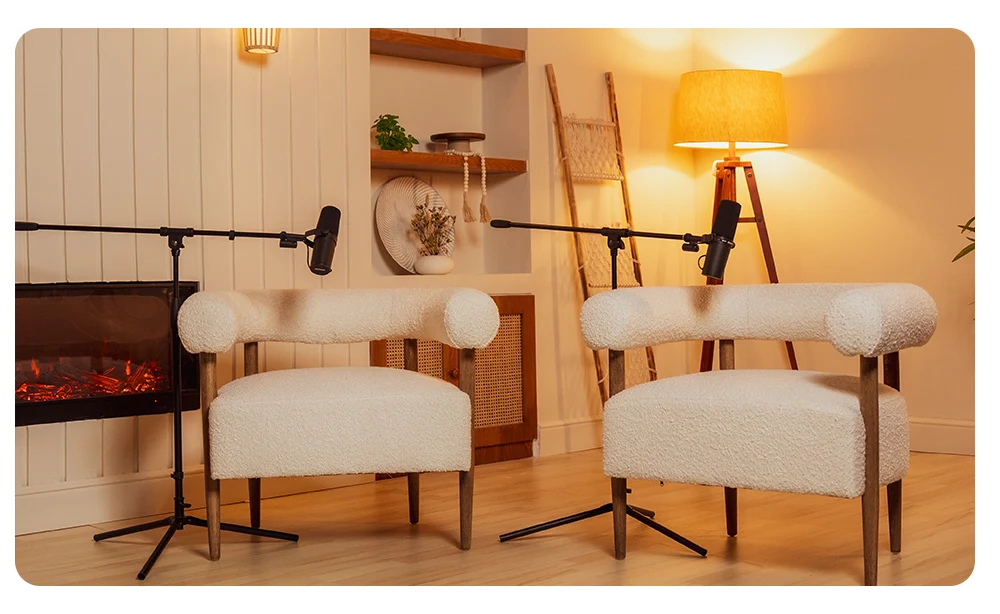
If checking beam angles, CRI ratings, and fan-noise workarounds isn’t something you want to deal with, there’s a simpler option: recording at a studio where the lighting is already fully set up. All of our Dubai podcast studio spaces are equipped with broadcast-grade, high-CRI lighting designed specifically for professional podcast recording. Key, Fill, and Backlight are already arranged for one host, two hosts, or more — without the slightest bit of fan noise ever reaching the microphones.
Just bring your podcast and your guest to the studio; we handle the three-point setup, the color temperature, and everything covered in this guide. Book a professionally lit Video Podcast Production Dubai session at Studio 321 and skip the entire equipment-buying process..
FAQs
Do I really need to buy multiple lights for a video podcast, or is one light enough?
A good single light is a real upgrade over having no dedicated lighting at all, and many solo podcasters record with just one Key Light. But a single light source usually leaves one side of the face in shadow, so adding even an inexpensive Fill Light noticeably improves the balance and professionalism of the final image.
What’s the best color temperature (Kelvin) for podcast lighting?
Most podcast setups use daylight-balanced light around 5600 Kelvin, since it matches typical camera white balance settings and blends well with natural window light. Keeping a consistent color temperature across all your lights matters more than the exact number you choose.
Do cheap LED lights interfere with microphones?
Cheap LED lights don’t cause electrical interference with microphones, but many of them use an internal cooling fan that can create audible background noise if placed too close to the microphone. Checking for fan noise before buying and keeping a reasonable distance between the light and the microphone solves this problem.
Is a Ring Light better than a Softbox?
Neither is objectively better; a Ring Light is well-suited to solo, close-up recording with its distinctive circular catchlight, while a Softbox spreads more evenly across two or more hosts and offers more flexible adjustment. The right choice depends on how many people you’re lighting and how close they are to the camera.
Can natural window light replace a lighting kit?
Natural window light can produce a beautiful image, but its brightness and color temperature change throughout the day and disappear entirely at night, which makes it unreliable for regular, recurring recordings. Many podcasters use window light only as a supplementary Fill Light alongside a dedicated Key Light, not on its own.
How many lights do I need to record with two or more guests?
Two hosts can usually work with a shared, wider Key-and-Fill setup, but three or more guests on a panel usually need multiple lights spaced along the table to maintain even coverage. LED Panels are generally easier to replicate and coordinate along a longer table than Softboxes or Ring Lights.