

When you release a new podcast episode and only share the link, just a few loyal listeners hit play. Meanwhile, people who could have fallen in love with your show scroll past because they have never heard its name. TikTok and Instagram are where you can introduce your show to this audience.
This guide shows you step by step how to repurpose podcast content social media audiences will enjoy: how to record your podcast with clipping in mind, find the best moments, turn each one into a Reel or TikTok, and reach a bigger audience. Alongside this article, it’s worth reading the podcast marketing strategy guide, which helps you put together a more comprehensive plan.
Quick Comparison: How to Repurpose Podcast Content for Social Media
| Step | What to Do | Main Goal |
| 1. Record Smart | Use clear audio, good lighting, and vertical-friendly framing. | Make clips easier to edit. |
| 2. Find Key Moments | Look for strong opinions, useful tips, surprising answers, and engaging stories. | Capture attention quickly. |
| 3. Edit Short Clips | Create vertical videos, add captions, and remove unnecessary pauses. | Improve mobile viewing. |
| 4. Choose Your Tools | Use editing or AI clipping tools that match your workflow. | Save editing time. |
| 5. Publish Consistently | Schedule clips across Instagram Reels and TikTok throughout the week. | Reach new audiences regularly. |
Why Repurposing Your Podcast Works on Instagram and TikTok?
A podcast episode has to be compelling enough to convince a stranger to spend 30 minutes or more with your show, whereas a clip asks for only half a minute of the viewer’s time. This difference is the main reason to repurpose podcast content for Instagram and TikTok: the clip is a low-risk, low-cost first step in getting to know you, and the episode is where the audience’s relationship with your show deepens.
Short-form video feeds also differ from podcast apps. On Spotify or Apple Podcasts, people mostly search for shows they already know. On Reels and TikTok, the platform itself shows your video to people who may never have looked for you. Your clip competes with every other video in the feed, so it has to grab attention in the first few seconds.
Repurposing also saves you time. You have already done the hardest part: coming up with the idea, recording the podcast and the conversation. Now it’s time to take this ready-made content and republish it in the least possible time.
Record Your Episodes With Clips in Mind
The easiest clips come out of episodes that were recorded with clipping in mind from the start. A few important steps at the recording stage make it easier to repurpose podcast content social media.
Frame for Vertical From the Start
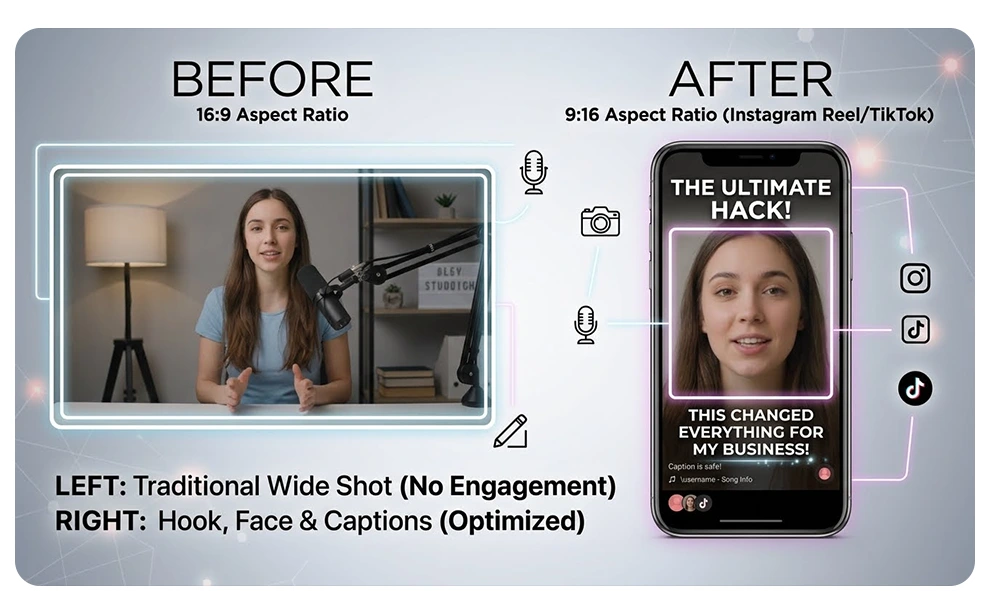
As mentioned in the how to start a video podcast, most video podcasts are filmed horizontally, but Reels and TikTok use a vertical video frame with a 9:16 ratio. If you shoot in 16:9, there’s no need to worry, and tools can crop the frame vertically. You just need to keep the following points in mind to get a good clip out of that frame:
- Seat guests close to the center of the frame and leave a little space around the head and shoulders so the vertical crop doesn’t cut anyone out.
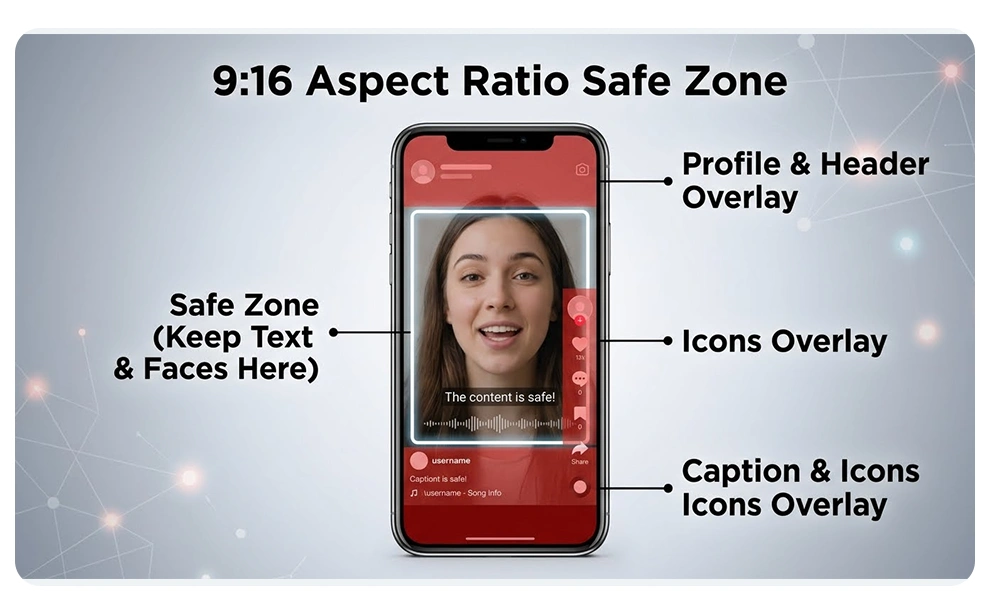
- Set aside a safe zone in the middle of the picture for faces and captions, away from the edges and away from the buttons and text the app places over the video.
Capture Clean Audio and Good Light
Viewers forgive a simple set, but when they can’t hear the speaker or see their face, they quickly give up on watching your podcast. Clean audio matters even more when you repurpose podcast content for Instagram and TikTok, because in this space you compete with creators who have good lighting and sound. Soft, even light on the face makes a clip look more professional. If you are setting up a video studio, the article on the best lighting for video podcasts will undoubtedly help you a lot.
Mark Great Moments as You Record
When something stands out while you’re recording, such as a lovely laugh, a decisive opinion, a short and impactful sentence, a surprising answer and so on, jot down a note or record the timestamp. After recording, when you’re making the clips, this note will make your work much easier.
How to Find the Moments Worth Clipping
Not every good or special moment in a podcast makes a good clip. The main skill is finding moments that a viewer who doesn’t know your podcast would also enjoy and be drawn to.
What Makes a Clip-Worthy Moment
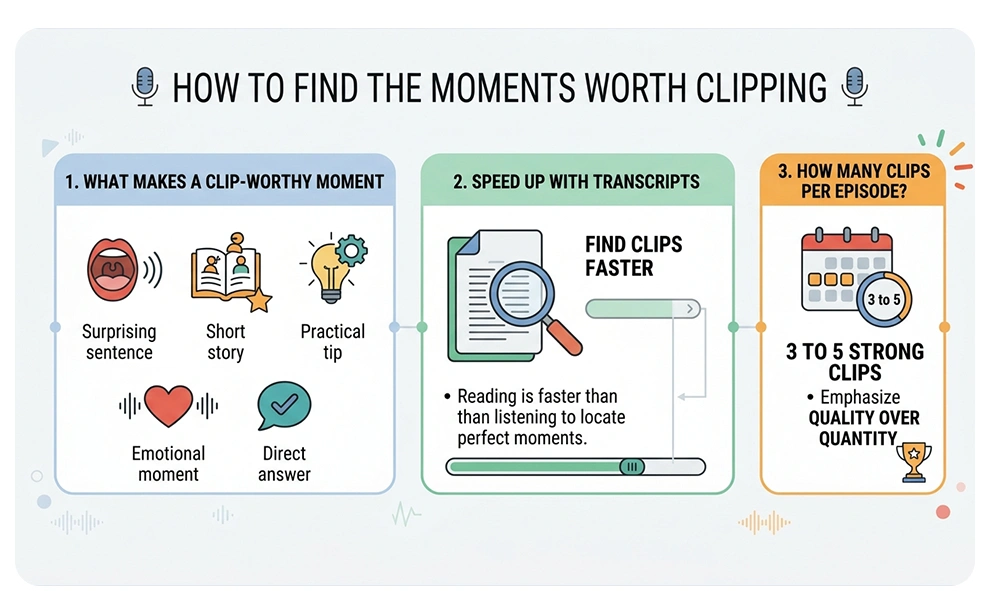
If you’re thinking about how to repurpose podcast content social media, you need to be familiar with the term Clip-Worthy Moment. This phrase is used in social media, media and video games (streaming), and means “a moment that is worth cutting and separating out.” A clip-worthy moment usually has one of these characteristics:
- A bold or surprising sentence that stops the viewer from scrolling.
- A short story with a clear beginning and a conclusion or closing takeaway.
- A practical tip the viewer can use right away.
- A strong emotional moment, whether funny, moving or controversial.
- A direct answer to a question your audience is already asking.
To find such a moment, play the selected section several times. If a stranger understands it and doesn’t need an explanation of what comes before or after, it’s the best choice to repurpose podcast content for Instagram and TikTok.
Use the Transcript to Find Clips Faster
To find the impactful parts of your content, keep in mind that reading is faster than listening. Run the episode through a transcription tool, then skim the transcript to find strong sentences, questions and turning points. Mark several options and check each one in the video before making a final decision.
How Many Clips per Episode
You don’t need to do anything extraordinary to repurpose podcast content social media; take your first steps small. Three to five strong clips per episode is a reasonable goal for a beginner and is enough to fill a week’s content schedule. If an episode is richer and full of special moments, you can make more clips, but quality matters more than quantity. A few clips you’re proud of help your show more than dozens of rushed ones.
How to Turn a Podcast Moment Into a Reel or TikTok
Once you’ve chosen a special moment from your podcast, you may ask yourself: how to make podcast clips. You don’t need to spend a lot of money or time, and a few small steps make it possible to create the video. The steps below show you how to turn podcast episodes into short-form video built for Instagram and TikTok feeds.
Trim and Reframe to 9:16
Trim the clip so it starts exactly at the first strong word and ends right after the point is made. Remove pauses, filler talk and slow introductions. Then change the video frame to 9:16. Many tools have an auto-reframe feature that follows the speaker’s face without shifting or cutting it off. If there are two or more people in the episode, you can use a split-screen layout to keep each speaker in their own half, or cut the frame to whoever is speaking. Check each clip before exporting, because automatic cropping sometimes makes mistakes.
Step 2: Add a Hook and Captions
- The hook is the first sentence or the first text on the screen, and it’s what the viewer uses to decide whether to stay or not.
- Subtitle the spoken hook with large, readable text on screen for the first few seconds.
- Add captions throughout the clip. Captions are a big help to viewers who watch without sound.
- The hook should be short and inside the safe zone of the frame so the app’s interface doesn’t cover it.
For the caption of the post itself, this simple format works well, and there’s no need for anything strange or fancy:
- Line one: a short sentence that repeats or expands on the hook.
- Line two: a sentence about who is speaking or what the episode is about.
- Line three: a clear call to action, for example “full episode at link in bio.”
- Last line: a few relevant hashtags.
Step 3: Add Branding and a Call to Action
Before you repurpose podcast content social media, put your logo or show name in a corner and use the same fonts and colors across all clips so viewers gradually come to recognize your show. End the clip with a call to action (CTA) that tells the viewer exactly what to do next. A clip that sends the viewer to the full episode through link in bio has done its job. Choose only one action for each clip; a clip that asks the audience to follow the podcast, leave a comment and visit the website all at once usually gets results from none of them.
Before you repurpose podcast content for Instagram and TikTok, run through this short checklist:
- The first sentence grabs attention within the opening seconds.
- The clip is understandable without extra explanation.
- The captions are accurate and readable.
- Nothing important sits beneath the app’s buttons or text.
- The call to action is clear and has a single goal.
- You have the guest’s permission, and the music (if used) is licensed.
Audio-Only Shows: Audiograms and Quote Cards
If you only record audio, you can still publish podcast podcast clips for TikTok and Instagram. An audiogram combines your show’s cover art with an animated waveform and captions over the audio. A quote card puts a strong sentence from the episode on a clean graphic. Both formats are simpler than filming, although they usually don’t hold attention as well as a face on screen. If you plan to grow with short videos, adding a camera to your podcast recording is worth it.
Best Tools for Making Podcast Clips
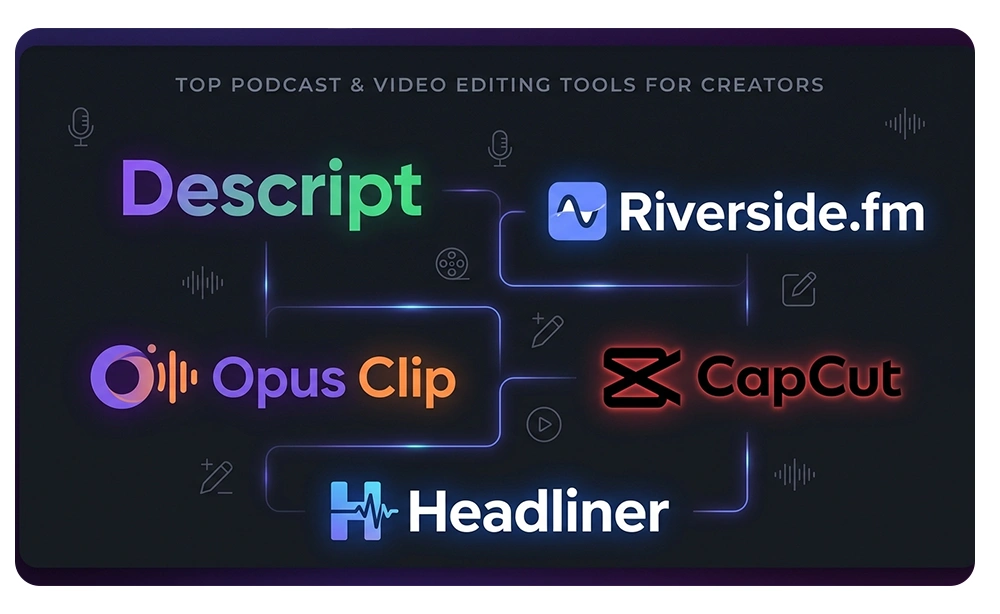
You don’t need to try every tool on the market. Choose the one that fits the way you work, learn it well, and work with it for a few weeks before judging it. The table below only covers clip-making tools. For a full review of editing software, see the complete comparison of best podcast editing software.
| Tool | Best for | Learning curve |
| Descript | Editing clips by editing text | Low to medium |
| Riverside | Recording and clip-making in one place | Low |
| Opus Clip | Automatically finding and cutting clips from long videos | Low |
| CapCut | Manual editing with captions and effects | Medium |
| Headliner | Audiograms and quote cards for audio shows | Low |
Keep in mind that the plans and prices of these tools change often, so check each tool’s official website before deciding to buy or to use the free version.
Instagram Reels vs. TikTok: How to Adapt the Same Clip
With a few tweaks for each platform, you can repurpose video podcast into Reels and TikTok using the same source clip.
Instagram Reels
Reels audiences often look for polished, distinctive content. So your clip and your profile should look refined, and you should handle the branding as well. Then send viewers to the full episode with link in bio, and consider sharing the Reel to Stories too, so it gets another chance to be seen.
TikTok
TikTok has a more informal atmosphere. A clip chosen for republishing here should start with the hook immediately and have fast-paced editing. Replying to comments is one way to win over your audience.
Beyond these platforms, you can also publish your vertical clip on YouTube Shorts. If you plan to have a serious presence there, the how to start a podcast on YouTube guide will undoubtedly be useful to you.
A Simple Weekly Workflow: One Episode, a Week of Content
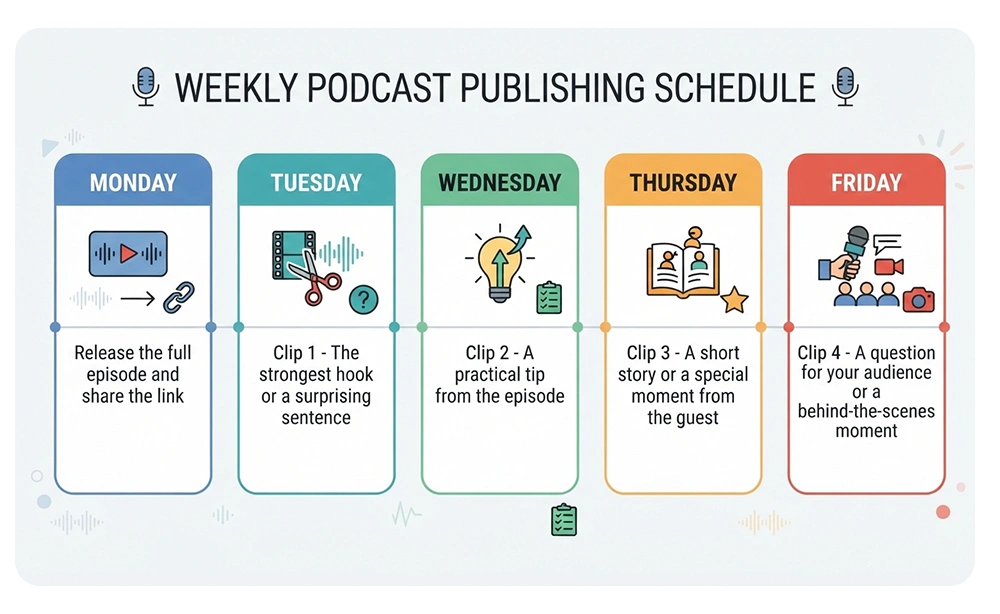
A consistent podcast repurposing workflow lets you get at least 5 days of content out of a single episode. For example, you can adjust the sample weekly schedule below to your own rhythm.
Sample Weekly Schedule
| Day | What you publish |
| Monday | Release the full episode and share the link |
| Tuesday | Clip 1: the strongest hook or a surprising sentence |
| Wednesday | Clip 2: a practical tip from the episode |
| Thursday | Clip 3: a short story or a special moment from the guest |
| Friday | Clip 4: a question for your audience or a behind-the-scenes moment |
Batch Your Work in One Session
If you make clips one by one, spending time on it every day, it takes a lot of time. Instead, set aside one session after each episode and do the following:
- Choose the moments and cut them.
- Add captions.
- Write the post captions and schedule everything.
Batching frees up your week for recording and makes it easier to keep the routine going. If you have a content calendar, record the schedule for these clips in it.
Track Results
The goal of repurposing podcast content social media is to attract an audience. So after a few weeks, look at which clips were watched to the end, which ones brought viewers to the full episode, and which hooks worked best. Do more of what has worked. If you don’t know which metrics and numbers are useful for analysis, we recommend reading the podcast analytics metrics guide.
Common Repurposing Mistakes to Avoid
- Publishing the whole episode as one long video: Instagram and TikTok audiences aren’t looking to watch long videos.
- Starting with a slow introduction: Start directly from the strongest moment.
- Not adding captions: Many viewers watch videos without sound, for whatever reason.
- Placing text where the app covers it: Stay inside the safe zone.
- Using clips that need context: Choose moments that stand on their own, so the viewer doesn’t need any mental background.
- Publishing without a clear call to action: Tell the viewer exactly where to go and what to do.
- Giving up too soon: Most podcasts need weeks of regular clip and video publishing before they get noticed.
Record Clip-Ready Episodes at Studio 321
Good clips start with good recordings. When your episode is recorded with multiple cameras, proper lighting, and clean audio, finding and cutting clips—and ultimately learning how to repurpose podcast content for social media—becomes much easier. Recording a podcast with different camera angles gives you more options for reframing to vertical, while clean audio keeps captions accurate and holds viewers’ attention.
If you are looking for a Dubai podcast studio, Studio 321 in Al Mamzar, Dubai, is built for exactly this kind of recording. If you are planning to record a video podcast, this studio and its facilities make video podcast production in Dubai easy for you. For short social media content production, you can also use the content production studio in Dubai. To book your session, get in touch with Studio 321.
Frequently Asked Questions
What is the ideal length of podcast clips for Instagram and TikTok?
Aim for the shortest length that gets your point across to the ear and eye. Platform time limits change, so check the maximum clip length on the official Instagram and TikTok pages.
Can I use one clip on Instagram Reels, TikTok and YouTube Shorts?
Yes. All three support vertical video, so one export works for all three.
How many clips should I make from each podcast episode?
For most shows, three to five strong clips are enough. Focus on moments that have something to say on their own.
Do I need a video podcast to repurpose content for Reels and TikTok?
No, for audio shows you can use audiograms and quote cards. However, video usually holds attention better, so if you can, using a camera is worth it.
What is the best free tool for making podcast clips?
It depends on how you work. Several tools have a free plan, but features change, so check each one’s official website and try one or two tools before choosing.
Do podcast clips really need captions?
Yes. Many people watch without sound, and captions also make fast conversations easier to follow.