

Every podcast episode has two important layers: the audio or video file that the listener hears, and the text of the podcast. Search engines and podcast apps can’t “read” audio the way a human can, but they can read text. That’s why the quality of each episode’s text, from show notes to chapters and transcript, directly affects discoverability and the listener experience. This guide is written for podcasters who have already published several episodes and want to turn podcast show notes SEO into a fixed part of their publishing routine with a clear structure. If you haven’t yet decided which platforms to use, first read the top podcast platforms article and then come back to this guide.
Why Show Notes and Chapters Matter for Podcast Discoverability
Show notes are the text that describes an episode to listeners and search engines. Chapters are the episode’s timeline, letting listeners jump straight to the section they want. When both are written accurately and completely, listeners decide faster whether an episode is useful to them, and your episode page gets indexable text that audio alone can never provide.
Put simply:
- Show notes include a summary, key takeaways, a guest bio, and resource links.
- Chapters are a list of chapter titles with the start time of each section.
Keep in mind that this text is only one of the ways your podcast gets discovered. For more on general ways to improve podcast visibility, read our guide to podcast SEO tips. Treating podcast show notes SEO as a routine rather than an afterthought is what makes the difference over dozens of episodes.
Where Your Show Notes Actually Appear: Apps, Your Website and YouTube
A single text appears in three places, and each place has a different reader and role. If you copy the same text everywhere without distinguishing between them, you lose part of your podcast’s capacity and opportunity to be discovered.
Your Podcast App Description from the RSS Feed
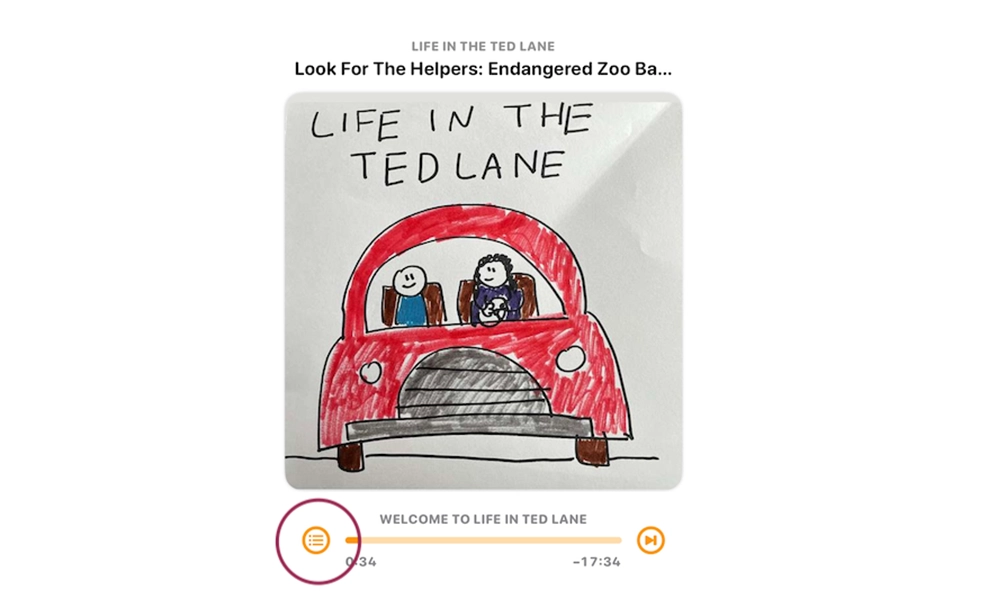
The episode description in Apple Podcasts, Spotify, and most other apps is read from the RSS feed. Listeners usually see only the first few lines, so the main summary should come right at the beginning. To learn how to publish your file in the apps, the guides upload a podcast to Apple Podcasts and how to start a podcast on spotify explain the publishing steps.
Your Website Episode Page
Your website is the only place where you have full control over the text and where it can be indexed. When it comes to podcast episode page SEO, the episode page is your most important asset: the title, summary, key takeaways, transcript, and internal links can all sit next to the player.
Your YouTube Description
On YouTube, the video description is where you place timestamps, and these timestamps become YouTube chapters for the video. Here, the audience arrives more through video search than by browsing a podcast directory.
| Where | Who reads it | What to write | SEO role |
| App description (RSS feed) | In-app listener | Short summary, a few takeaways, main links | Mostly in-app experience; not indexed on the web |
| Website episode page | Listener and search user | Full show notes, transcript, internal links | The main indexable text |
| YouTube description | Video viewer | Summary, timestamps, resource links | YouTube search and video chapters |
How to Write SEO-Friendly Show Notes
For podcast show notes SEO you don’t need long text; the text needs to be complete and useful. If you want to know in practical terms how to write podcast show notes, follow these five principles.
Write a Clear, Keyword-Aware Title and Opening Summary
The episode title should state the topic clearly. Include the target phrase in the title and in the first two or three sentences of the summary, as long as it feels natural. The opening summary is the part that is seen most in results and in apps.
Add Key Takeaways and Resources
After the summary, write three to six key takeaways that the listener gets from the episode. Every resource you mention in the episode should be listed with its name and link. This section both helps the listener and makes the page more complete.
Link Guests, Sources and Related Episodes
A short guest bio, a link to their official profile, and links to related episodes turn the page into part of your site’s content network. Just make sure the links you use are relevant and useful to the listener.
Add a Call to Action
Every episode should suggest one clear action to the listener: following the show, signing up for the newsletter, or watching the next episode. But don’t overdo it, because more than one or two CTAs reduce focus.
Keep It Useful, Not Stuffed
Repeating the keyword for no reason makes the text harder to read and doesn’t help rankings. A simple rule: if you wouldn’t write a sentence for the listener, delete it. Browse real podcast show notes examples from your favorite podcasts and see which structure works for you.
A Show Notes Template You Can Copy
A good podcast show notes template has two versions: a short version for apps and a long version for the website. The sample below is fictional and written only to show the structure.
Short Version for Podcast Apps
- Title: How do we plan our podcast’s first episode?
- Summary: In this episode, with a hypothetical guest, Sara, we talk about choosing a topic, the right length, and the structure of the first episode.
- In this episode you’ll hear:
- How to narrow the topic
- What to prepare before recording
- Common mistakes in the first episode
- Links: The show’s website and the full episode page
- Call to action: Follow the show so you don’t miss the next episode.
Long Version for Your Website
- Title and opening summary (two to three sentences)
- Key takeaways (three to six items)
- List of chapters with timestamps
- Guest bio and link to their official profile
- Resources and links
- Full or edited transcript
- Related episodes
- One call to action
Podcast Chapters: Formats, App Support and Which One to Use
A listener who opens a long episode is more likely to keep listening if they can jump straight to the section they want. Podcast chapters make this possible.
The Three Chapter Formats
- ID3 Embedded: Titles and times are stored inside the audio file itself with CHAP and CTOC tags and travel with the file.
- Timestamps in the Description: Times are written as text in the episode description. It’s the simplest method and is the main method for YouTube.
- Chapters JSON: A separate file declared in the RSS feed with the podcast:chapters tag, and part of Podcasting 2.0. This format allows chapters to be changed without replacing the audio file. For a better understanding of how these tags work, read our guide to podcast RSS feed explained.
Which Apps Support Which Format
Since the status of each app changes constantly, check this table against each platform’s official documentation before publishing.
| App | ID3 chapters | Timestamps in description | Chapters JSON |
| Apple Podcasts | Usually supported | Usually usable | Check against official documentation |
| Spotify | Check against current documentation | Check against current documentation | Check against current documentation |
| Overcast / Pocket Casts | Usually supported | Depends on the app | Depends on the app (Pocket Casts usually supports it) |
| YouTube | None | Main method for chapters | None |
Apple Podcasts may generate automatic chapters for some episodes. If you don’t trust the automatic titles, replace them by adding your own manual chapters.
How to Write Chapter Titles and Timestamps
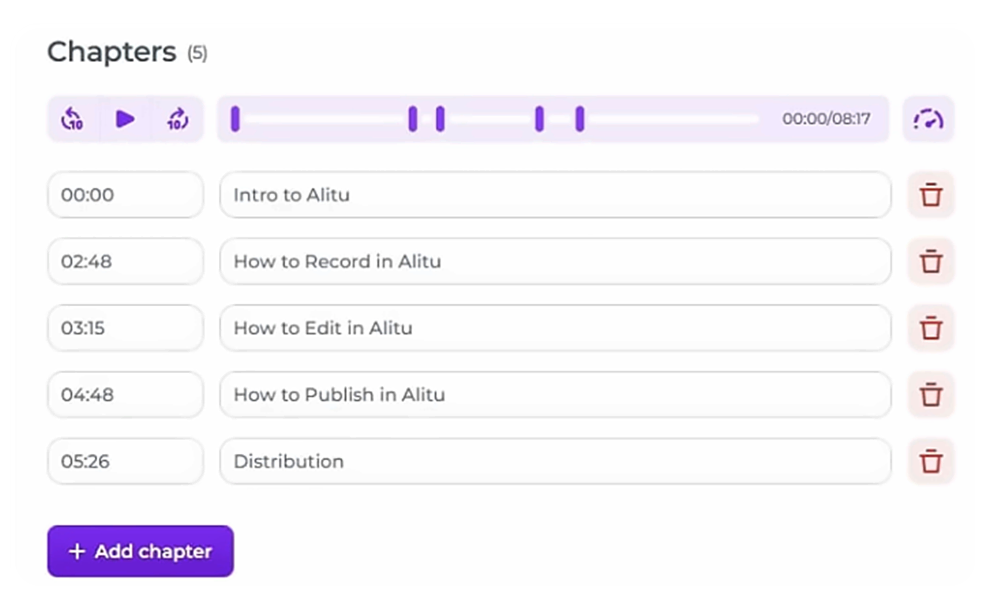
Write Chapter Titles for Humans First: In the podcast show notes SEO process, chapter titles play an important role and should say at a glance what that section is about. Numbered titles without explanation aren’t useful. If your episode’s structure is clear, chapters come out of it easily, and learning about podcast structure will help you a great deal here.
Timestamp Format and Platform Rules: For podcast timestamps, always use the hours:minutes:seconds or minutes:seconds format and make the first time 00:00. On YouTube the first timestamp must be 00:00 and sections must not be very short; check the exact conditions in YouTube Help. For podcast chapter markers in the audio file, each marker must match the actual time of the section.
How Many Chapters?: There is no fixed number. Take the number of chapters from the episode’s natural sections: usually each main topic or question is one chapter.
Don’t Skip the Transcript
For podcast transcript SEO, the full text of the speech is the only way to make audio content indexable for search. Another benefit is accessibility. Treating the transcript as part of podcast show notes SEO rather than a bonus keeps your episode pages consistently rich in text.
Auto-Generated vs. Edited Transcripts
An automatic transcript is fast but contains errors, especially in names and technical terms. An edited version is more accurate and better suited for public publication. If you want to use the transcript to find moments of the show that can be clipped and shared across platforms, learn how to repurpose podcast content social media.
Where to Publish the Transcript
You have two options:
- The text on the episode page
- A transcript file in the RSS feed with the podcast:transcript tag and formats such as WebVTT (VTT) or SRT
Text on the page is better for SEO; the file in the feed is for apps that display transcripts.
Accessibility Benefits
A transcript allows deaf or hard-of-hearing listeners, and those who prefer to read a text, to use the episode. Apart from podcast show notes SEO, this gives your audience a sense of being valued.
Common Show Notes and Chapters Mistakes
- Copy-Pasting the Same Notes Across Episodes: If the show notes of several episodes are identical, each page loses its independent value. Every episode should have its own description.
- Chapters That Drift After Ad Insertion: With dynamic ad insertion, the file’s length changes at playback time and fixed timestamps may drift from the actual time. Check this with your podcast host before publishing.
- Relying Only on Auto-Generated Text: AI-generated show notes can give a quick draft, but without human review they may get names, links, and details wrong.
- Having No Episode Page on Your Website: Without an episode page, there is no indexable text on your site and all reliance stays on the apps. Even a simple schema.org PodcastEpisode markup on these pages can help with understanding the content.
Publish-Day Checklist
A checklist makes podcast show notes SEO an easy task, and it’s worth running through it once before publishing each episode:
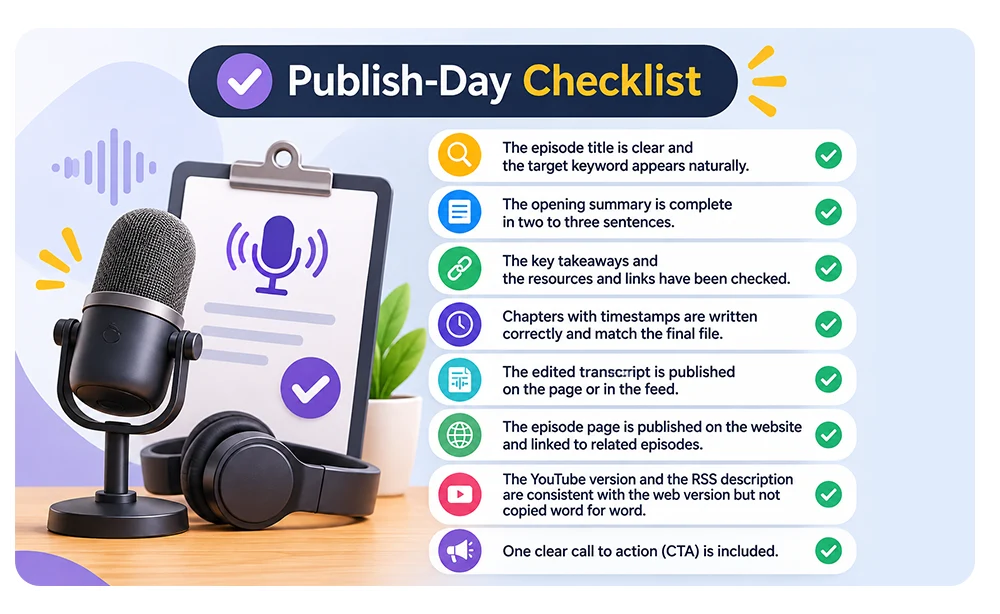
- The episode title is clear and the target keyword appears in it naturally.
- The opening summary is complete in two to three sentences.
- The key takeaways and the resources and links have been checked.
- Chapters with timestamps are written correctly and match the final file.
- The edited transcript is published on the page or in the feed.
- The episode page is published on the website and linked to related episodes.
- The YouTube version and the RSS description are consistent with the web version but not copied word for word.
- One clear call to action (CTA) is included.
Record Episodes That Are Easy to Chapter and Transcribe: Studio 321’s Approach
The accuracy of chapters and transcripts starts with recording quality. Clean audio, speech without overlap, and a clear episode structure make speech-to-text more accurate and make section boundaries easier to identify. At Studio 321 in Al Mamzar, Dubai, recording is done in a way that makes these post-recording steps simpler, which is the foundation for good podcast show notes SEO. If video is also part of your show, see video podcast production Dubai, and for your next recording, visit our Dubai podcast studio.
Frequently Asked Questions
- How long should podcast show notes be?
There is no fixed length. Show notes should be complete and useful, and no extra material should be added just to fill space. Accept any statistic about the “ideal length” only with a credible source and year. - Do podcast show notes really help SEO?
Indexable text on your own episode page can help in understanding the episode’s topic, but no specific ranking can be promised. Verify the details against the Google Search Central guides. - What is the difference between show notes, chapters and a transcript?
Show notes are the episode’s description and summary. Chapters are the timed list of sections. A transcript is the full text of the speech. - Do I need chapters for short episodes?
Usually not necessary for very short episodes. If the episode has several distinct sections and a listener might want to jump straight to one of them, chapters are useful. - Can I use AI to write show notes and chapters?
Yes, provided there is human review. Review the AI draft for names, times, and links.