

Want to know how to start a podcast on Spotify in 2026? You can start for free using Spotify for Creators, Spotify’s podcast hosting and distribution platform. You can upload audio and video episodes, manage your show, and track its performance from one place.
In this guide, you’ll learn how to start a podcast on Spotify step by step, what equipment you need, how to upload and publish your first episode, how to start a video podcast, and how to grow your audience.
If you’re recording in Dubai and want professional audio and video without investing in your own equipment, Studio 321 offers a fully equipped podcast studio for creators, businesses, and teams.
How to Start a Podcast on Spotify: Quick Steps
- Choose your podcast topic and niche.
- Define your target audience and podcast format.
- Choose a name for your podcast.
- Prepare your equipment and recording setup.
- Record and edit your first episode.
- Create your podcast on Spotify for Creators.
- Upload and publish your episode.
- Optimize your podcast and grow your audience.
What Is Spotify for Creators?
Spotify for Creators is Spotify’s platform for creating, hosting, managing, and distributing podcasts. You can use it to upload audio and video episodes, manage your podcast, view analytics, and access available audience and monetization features.
If you host your podcast with Spotify for Creators, your show can be published directly to Spotify. You can also use another podcast hosting platform and submit your show’s RSS feed to Spotify.
Can You Start a Podcast on Spotify for Free?
Yes. You can start a podcast on Spotify without paying for Spotify podcast hosting. Spotify for Creators provides podcast hosting and allows creators to upload both audio and video content.
However, starting a podcast for free does not mean that every part of production is free. You may still need a microphone, camera, lighting, editing software, or a professional recording space depending on the quality you want to achieve.
If you’re recording in Dubai, renting a professional dubai podcast studio can give you access to microphones, cameras, lighting, and a controlled recording environment without purchasing all the equipment yourself.
Can You Start a Podcast on Spotify Without a Podcast Host?
Yes — there are two valid paths, and which one is right for you depends on how much control you want over your show long-term.
| Method | How It Works | Best For |
|---|---|---|
| Spotify for Creators as host | Upload episodes directly in the dashboard; RSS is generated for you automatically | Beginners who want the simplest setup |
| External podcast host | Publish to a host like Buzzsprout or Transistor, then submit that RSS feed to Spotify once | Creators who want to own their feed and switch platforms more easily later |
Both are completely valid. If you’re not sure, starting directly with Spotify for Creators is the simpler option — you can always migrate to an external host later once your show is established.
What Do You Need to Start a Podcast on Spotify?
| What You Need | Required? | Notes |
|---|---|---|
| Podcast topic & niche | Yes | Should sustain 50+ episodes |
| Podcast name | Yes | Searchable, brandable, not already taken |
| Microphone | Yes | USB or XLR |
| Headphones | Recommended | For monitoring audio quality |
| Recording software | Yes | Audacity, GarageBand, Adobe Audition |
| Cover art | Yes | Square image, at least 3000x3000px |
| Podcast description | Yes | Explains what the show is about |
| First episode | Yes | Needed before you can publish |
| Podcast host | Depends on method | Spotify for Creators or an external host |
| RSS feed | External method only | Needed to submit your show to Spotify |
How to Start a Podcast on Spotify: Step by Step
Step 1: Choose Your Podcast Topic and Niche
Start by choosing a clear topic for your podcast. Your topic should be specific enough to attract a defined audience but broad enough to support multiple episodes.
Consider:
- What topics do you know well?
- Who do you want to reach?
- What problems, questions, or interests can your podcast address?
- Can you create episodes consistently around the topic?
Step 2: Define Your Target Audience and Format
Decide who your podcast is for and how you want to present your content.
Common podcast formats include:
- Interviews
- Solo shows
- Co-hosted discussions
- Educational podcasts
- News and commentary
- Storytelling
Choosing the format early will make it easier to plan your episodes and recording setup.
Step 3: Choose a Podcast Name
Choose a name that is easy to remember, relevant to your topic, and suitable for your brand.
Avoid making the name unnecessarily long or difficult to spell. Before launching, check whether the name is already being used by another podcast or brand.
Step 4: Prepare Your Equipment and Recording Setup
Your equipment depends on whether you’re creating an audio-only podcast or a video podcast.
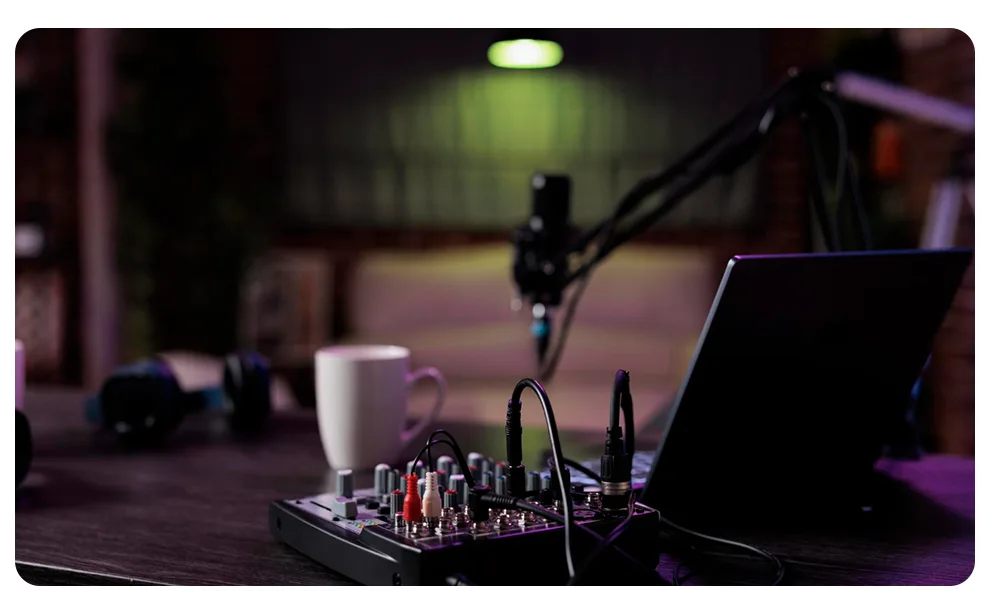
For a basic setup, you may need:
- A microphone
- Headphones
- A computer or smartphone
- Recording software
- A quiet recording environment
For video podcasts, you’ll also need a camera, lighting, and video editing software.
If you want professional production without buying all this equipment, you can record at a professional podcast studio in Dubai.
Step 5: Record and Edit Your First Episode
Before recording, prepare an outline or script so you know what you want to cover.
After recording, edit the episode to remove unnecessary pauses, mistakes, background noise, and other distractions. You can also add an intro, outro, music, or other elements that fit your podcast.
Step 6: Create Your Podcast on Spotify for Creators
Go to Spotify for Creators and sign in with your Spotify account. From there, you can create or manage your podcast and provide the information needed for your show.
Prepare your:
- Podcast name
- Description
- Cover art
- Category
- Language
- Episode information
Make sure your podcast details accurately describe your content before publishing.
Step 7: Upload and Publish Your Episode
Once your podcast is set up, upload your first episode and add the required information.
Include a clear episode title and description, review the details, and publish the episode when everything is ready.
How to Upload a Podcast to Spotify
If you’re creating a new podcast directly through Spotify for Creators, the basic process is:
- Sign in to Spotify for Creators.
- Create your podcast or show.
- Add your podcast name and description.
- Upload your episode.
- Add the episode title and description.
- Add your podcast artwork and other required details.
- Review the information.
- Publish your episode.
If your podcast is already hosted on another platform, you generally don’t need to upload every episode manually. Instead, you can submit your podcast’s RSS feed to Spotify.
Already Have a Podcast? How to Get It on Spotify
If your podcast is already hosted by another podcast hosting provider, you can submit its RSS feed to Spotify.
Your hosting platform generates the RSS feed, which contains information about your podcast and its episodes. After submitting the feed to Spotify, Spotify can use that feed to retrieve your show and episode information.
This means you can distribute an existing podcast to Spotify without moving your entire podcast to Spotify for Creators.
Step 8: Optimize Your Podcast and Grow Your Audience
After publishing your podcast, focus on making it easy for people to discover and follow your show.
Use clear and descriptive podcast and episode titles, write useful descriptions, publish consistently, and encourage listeners to follow your podcast.
You can also promote new episodes through your website, social media, email newsletters, guest appearances, and collaborations with other creators.
How to Start a Video Podcast on Spotify
Spotify supports video podcasts, allowing creators to publish video episodes alongside audio content.
To create a video podcast, you’ll need:
- A camera
- A quality microphone
- Suitable lighting
- A recording space
- Video editing software
The recording environment is particularly important for video podcasts because both the visual and audio quality affect the overall viewing experience.
If you want to record a professional video podcast in Dubai, Studio 321 provides a dedicated podcast recording environment with professional equipment and production facilities.
Spotify for Creators vs. Other Podcast Hosting Platforms
| Platform | Hosting | Distribution | Analytics | Video |
|---|---|---|---|---|
| Spotify for Creators | ✓ Free | ✓ | ✓ | ✓ |
| Buzzsprout | ✓ Paid | ✓ | ✓ | — |
| Podbean | ✓ Paid | ✓ | ✓ | ✓ |
| Transistor | ✓ Paid | ✓ | ✓ | — |
The right hosting option depends on how you want to manage your podcast. Spotify for Creators is a simple option if you want to host and manage your show through Spotify, while third-party platforms may offer different hosting and management features.
How to Make Money from a Podcast on Spotify
Podcast monetization options depend on your location, audience, and eligibility for Spotify’s available monetization programs.
Possible ways to make money from a podcast include:
- Spotify’s available monetization programs
- Podcast subscriptions where available
- Sponsorships and brand partnerships
- Affiliate marketing
- Selling products or services
- Promoting your own business
Spotify’s Partner Program currently has specific eligibility requirements and is available only in selected markets. The current eligible markets listed by Spotify are the United States, Canada, United Kingdom, and Australia. Check Spotify’s latest eligibility requirements before planning your monetization strategy.
How to Optimize Your Podcast for Spotify Search
Optimizing your podcast starts with making your content clear and easy to understand.
Focus on:
- A clear podcast name
- Descriptive episode titles
- Useful podcast and episode descriptions
- Accurate categories and information
- Consistent publishing
- High-quality content
- Encouraging listeners to follow and engage with your show
Use the language your target audience is likely to use when describing your topic, but avoid stuffing keywords into your podcast name or descriptions.
How to Start a Professional Podcast in Dubai and Publish It on Spotify
Starting a podcast on Spotify is only part of the process. The quality of your recording can have a major impact on how professional your podcast sounds and looks.
If you’re based in Dubai, you can record your podcast in a professional studio instead of purchasing microphones, cameras, lighting, and other production equipment yourself.
Studio 321 provides a dedicated podcast recording environment for audio and video podcasts, making it easier to record professional episodes and prepare them for publication on Spotify.
For a full breakdown of the entire process — not just the Spotify publishing step — see our complete guide on how to start a podcast in Dubai.
FAQ: How to Start a Podcast on Spotify
1. Can I start a podcast on Spotify for free?
Yes. Spotify for Creators offers free, unlimited hosting for both audio and video podcasts with no subscription required.
2. Do I need a podcast hosting platform to publish on Spotify?
Not necessarily. You can use Spotify for Creators itself as your host, or publish through an external host and submit your RSS feed to Spotify — both are valid options.
3. Can I upload a video podcast to Spotify?
Yes. Video is a first-class format on Spotify, and Spotify for Creators supports uploading and publishing video episodes alongside or instead of audio.
4. How do I upload a podcast to Spotify?
Create a free Spotify for Creators account, then either upload your episode directly in the dashboard or submit your existing RSS feed if you’re using an external host.
5. How long does it take to get a podcast on Spotify?
If you upload directly through Spotify for Creators, your episode can go live within a few hours. Submitting an external RSS feed for the first time may take slightly longer for verification.
6. Can I make money from a podcast on Spotify?
Yes, through the Spotify Partner Program, Premium video revenue, and sponsorships — though Partner Program eligibility currently requires a legal address in a limited set of countries, which does not yet include the UAE.
7. What equipment do I need to start a podcast?
At minimum, a microphone, headphones, and recording software. For professional audio or video quality without buying equipment, you can record in a studio instead.
8. Can I start a podcast on Spotify from Dubai?
Yes — Spotify for Creators is available to creators in the UAE for hosting, distribution, and audience growth. For professional recording, Studio 321’s podcast studio in Dubai handles the production side.
9. Is Spotify for Creators free?
Yes, hosting, uploading, and distribution through Spotify for Creators are completely free, with no storage limits.