
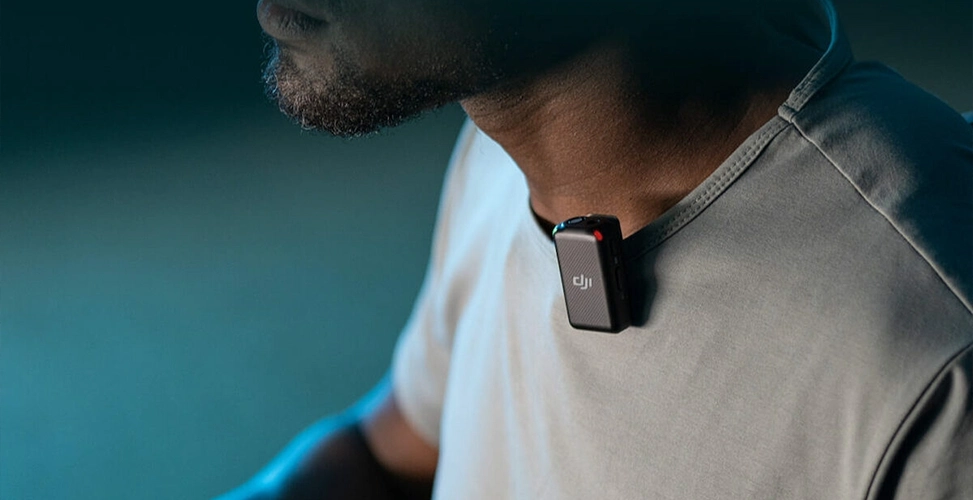
In the past, recording audio required bulky microphones, multiple cables, and more, which made producing content, whether video or audio, difficult. That was until wireless lavalier microphones came onto the market. Now these devices let you start recording content wherever you like and still get professional-sounding audio, especially if you’re into recording podcasts outside the studio. So if you’re the kind of person searching for the best wireless lavalier mic for podcast, be sure to read this piece from Studio 321 to find the right option to buy.
Wireless Lavalier vs. Handheld and Shotgun Mics: Which Wins for Mobile Recording?
For mobile recording, the wireless lavalier mic wins the most points, since it combines both being unseen and freedom of movement. That said, if you’re looking for something more complete, check out our mobile podcast studio service in Dubai — the story there is different, and it’s worth looking at other options.
What Is a Wireless Lavalier Microphone (and Why Podcasters Use One)?
Lavalier microphones, also known as clip-on mics because of how they attach to clothing, were first used by TV presenters for recording audio and originally connected via a cable. Eventually, wireless connectivity became available for them so they could be used without an annoying cable or special equipment, making them convenient.
Using a best wireless lavalier mic for podcast is like pinning a small brooch onto your clothes. These microphones are perfect for people who like to record content in specific settings such as events, the workplace, or outside the studio, and for those who move around while presenting; they’re ideal, whether you’re demonstrating something or recording outdoors, and they deliver clear audio.
Fortunately, there’s now a wide variety of wireless lavalier microphones on the market, so you can pick one based on your needs, use case, and budget.
Who Actually Needs a Wireless Lav Mic for Podcasting?
Based on the form and typical use of this type of microphone, the following people get the most need and benefit out of a wireless lavalier mic:
- Video content creators and podcasters who also record video If your podcast isn’t audio-only and also has a video component, traditional dynamic microphones (like XLR ones) usually show up in frame and ruin the professional look of the production. A lavalier microphone, as mentioned, is “like pinning a small badge onto your clothes” and stays completely out of sight.
- People who move around while recording If your podcast format involves walking, demonstrating something, or recording outdoors (like a workplace tour, a walking segment, or a live event), a wireless lavalier mic gives you more freedom of movement without a cable holding you back.
- Interviewers and multi-guest shows Most products marketed as a best wireless lavalier mic for podcast come with 2 transmitters, precisely for this reason: in interviews or conversations between two or more people, each participant can have their own microphone.
- People working with inexperienced speakers or guests unfamiliar with equipment A heavy studio setup with cables tends to make inexperienced speakers uncomfortable. A wireless lavalier mic, being small and very easy to use, eliminates that stress.
- People recording with a phone or lightweight cameras If your podcast or content is recorded with an iPhone, a tablet, or action cameras, you should be looking for a clip-on microphone for mobile podcast recording. In fact, wireless lavalier mic models that connect directly to a phone are the better choice.
That said, if your podcast is entirely audio and you’re after the best microphone for podcast recording, it’s worth taking a step back — see our full guide to wired vs. wireless Best Podcast Microphones before deciding, and consider renting a studio with professional, fixed equipment instead.
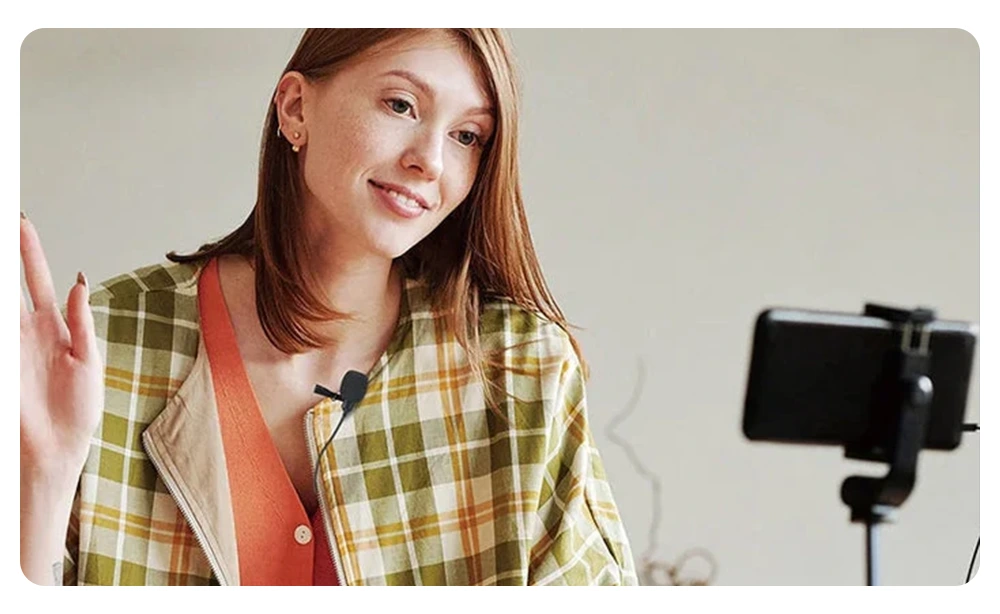
The 6 Criteria That Matter Most When Choosing a Wireless Lavalier Mic
Before we get to the best wireless lavalier mic for podcast picks, you should know which criteria matter for a purchase, so you don’t waste money on a product that won’t actually serve your needs.
Sound Quality & Noise Cancellation
Sound quality is the most important factor, since the whole point of buying these microphones is to get clear, professional-sounding audio. Look for models with background-noise-reduction technology that can separate speech from background noise (wind, traffic, chatter).
Transmission Range & Reliability (2.4GHz vs. Bluetooth)
How the signal is transmitted between the transmitter and receiver also matters a great deal, since it determines how far you can get from the camera or phone without the audio cutting out or getting disrupted. 2.4GHz connections are usually more stable and lower-latency than Bluetooth, and are better suited to crowded environments with lots of radio interference (like events or busy cities).
Battery Life
If you’re going to be recording audio with a best wireless lavalier mic for podcast for long stretches, or you’re somewhere without quick access to charging, battery life for both the transmitters and the charging case becomes important. Some models hold the record in this area with up to 48 hours of total battery life (including the case).
Device Compatibility (iPhone, Android, Cameras)
You need to make sure the microphone you pick is compatible with the devices you use — does it have a Lightning or USB-C version? Does it connect directly to a DSLR camera or specific devices like the Osmo Action, or does it need a separate receiver? Some models, like the Shure MoveMic, connect directly to a phone through a dedicated app and don’t need a receiver at all.
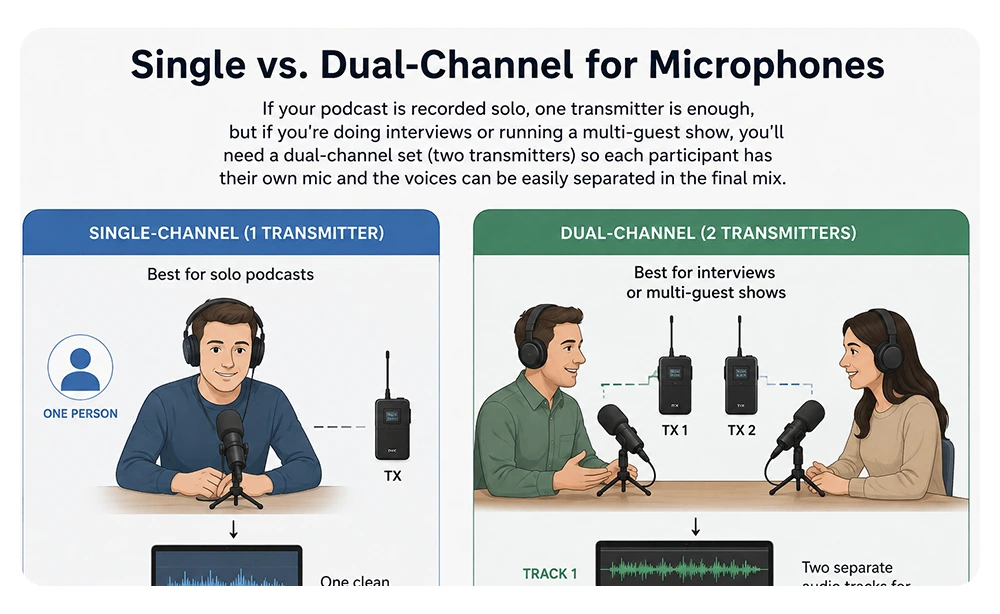
Single vs. Dual-Channel
If your podcast is recorded solo, one transmitter is enough, but if you’re doing interviews or running a multi-guest show, you’ll need a dual-channel set (two transmitters) so each participant has their own mic and the voices can be easily separated in the final mix.
Price & Value
In the end, you need to strike a balance between budget and features. Cheaper options might be fine to start out with but come with limitations, while premium models give you more professional features like onboard recording on the transmitter and greater range.
Our Picks: Best Wireless Lavalier Microphones for On-the-Go Recording
As we mentioned in our Essential Podcasting Equipment guide, microphones are an essential piece of equipment for content production. So now we get to the main part of the story: choosing the best lavalier microphones on the market in 2026. Below, we’ve introduced a practical model for every need and purpose.
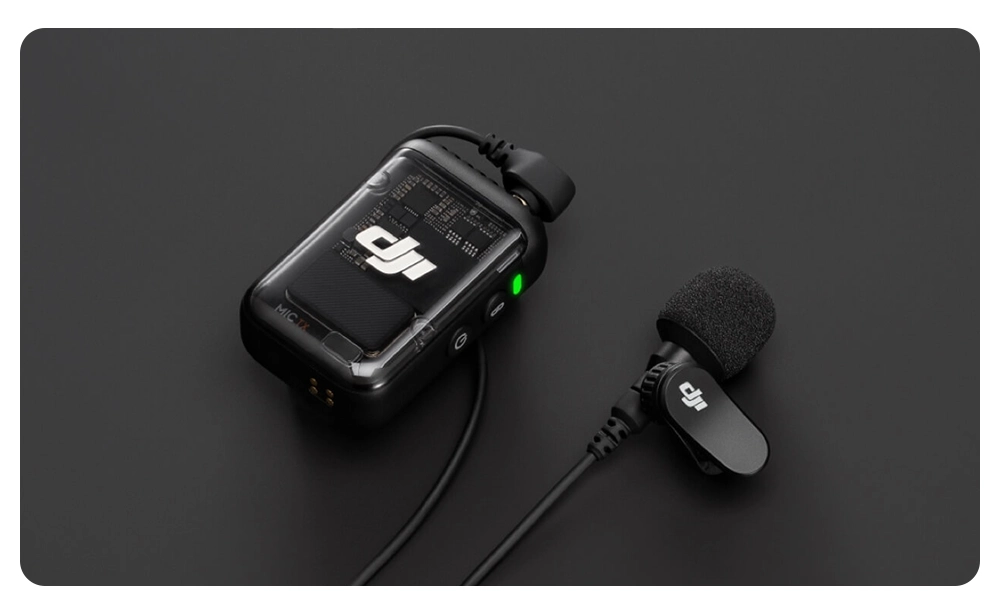
Best Overall: DJI Mic 2
If you’re after the single best overall option, the DJI Mic 2 can be the top pick for a portable podcast microphone setup. The most important features that have led many to consider it the best wireless lavalier mic for podcast are:
- It covers a range of up to 250 meters (820 feet) and uses 32-bit float recording technology, which prevents audio distortion at loud, unexpected volume spikes.
- Its battery life is around 6 hours, which reaches 18 hours with the charging case.
- It also has the ability to store up to 14 hours of audio internally on the transmitter itself, which serves as a reliable backup in case the signal happens to drop.
- Its price is between $350 and $400.
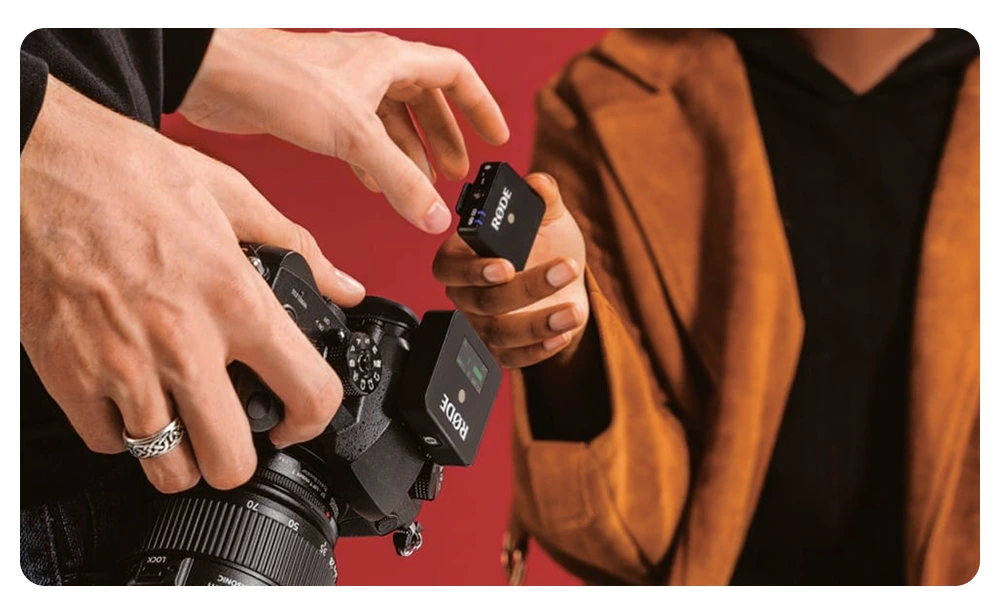
Best for iPhone Users: Rode Wireless GO II
There are certainly other options you could buy as the best wireless lavalier mic for iPhone and Android, but specifically for iPhone users, the Rode Wireless GO II is a popular choice, because:
- Each transmitter has its own built-in microphone, so you can clip it directly onto your clothing without needing a separate lavalier mic.
- This set supports a USB Audio Interface output and connects to iOS devices.
- Its battery life goes up to 7 hours, and its range is reported as being between 200 and 650 feet, depending on the source.
- Its price is around $300.
Best Budget Option: Saramonic Blink 500 B2
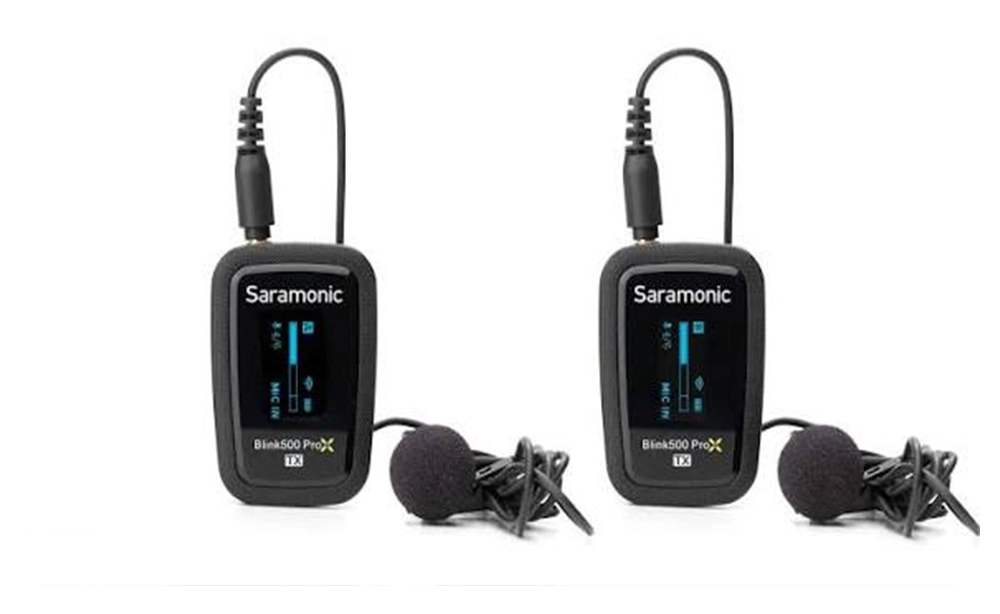
If you’re just starting out with podcast recording and want to begin with affordable options, the best wireless lavalier mic for podcast for tighter budgets is the Saramonic Blink 500 B2.
- Its internal battery charges via a USB-C cable, and its range reaches up to 50 meters (164 feet) outdoors and up to 30 meters (98 feet) in environments with obstacles.
- This is the base version of the Blink 500 line; if you want even more battery life, the upgraded Blink 500 B2+ version has a much higher battery life (up to 20 hours on the transmitters), though it also comes at a higher price.
Best for Multi-Camera Setups: Hollyland Lark M2
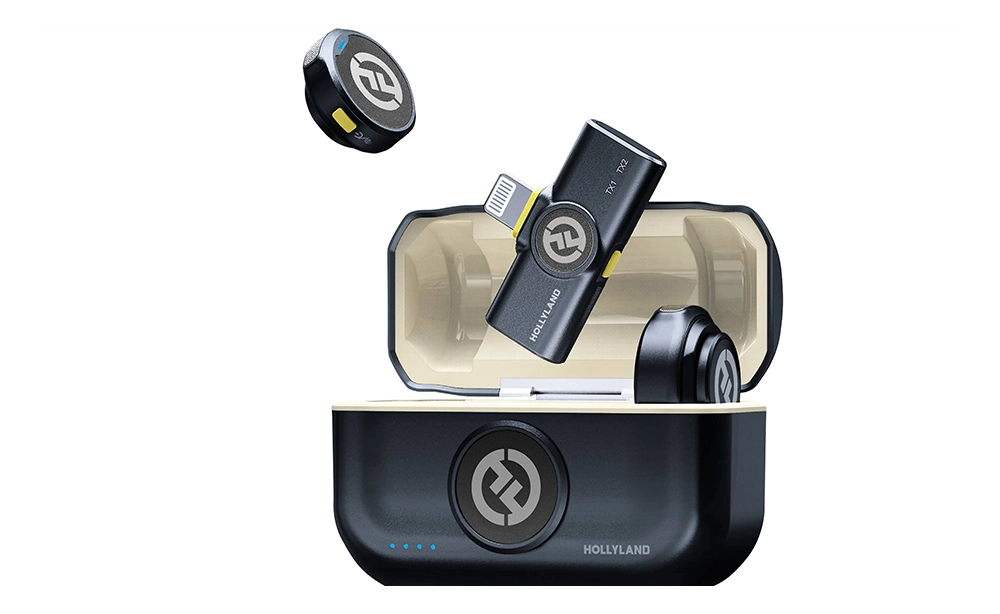
A wireless lav mic for interviews is very useful, especially for content you record with multiple cameras at once. Among the products available on the market for this purpose, the Hollyland Lark M2 is a good option, because:
- The transmitter weighs only 9 grams and records audio at 48kHz/24-bit quality.
- Its advertised range reaches up to 300 meters (1,000 feet), though some field reviews have shown this range falls short of the advertised figure in practice.
- Each transmitter’s battery life is about 10 hours, and the charging case can extend the total system life to around 40 hours.
- This set’s price is around $160 to $180, making it much more budget-friendly compared to the more premium models.
How to Set Up and Test a Wireless Lav Mic Before You Record
Even the best wireless lavalier mic for podcast won’t perform the way it should if used incorrectly. Setting up and using a product like this requires going through the following three steps:
Step One: Clipping and Positioning
Clip the microphone about 15 to 20 centimeters below the chin, onto the collar or the edge of the clothing — not so close to the mouth that it causes overly pronounced “p” and “b” pops, and not so far that the audio becomes thin and full of ambient echo. The metal or magnetic clip should be attached firmly onto stiff fabric, not loose or thin clothing that shifts with every movement. Make sure no necklace, scarf, or jewelry is touching the body of the microphone, since even the smallest fabric friction will be heard as rustling in the final recording.
Step Two: Pairing and Testing Audio Levels
Before anything else, pair the transmitter and receiver on a shared channel and check the device’s display or status light to confirm the connection is established. Then, with the speaker’s natural speaking voice, adjust the gain level — not so low that background noise dominates, and not so high that the audio distorts at its loudest point. Do a short test recording and make sure to listen with headphones, not just the phone or camera’s built-in speaker, since many minor issues can only be caught by listening closely.
Step Three: Using a Windscreen
If your recording takes place outdoors, using a windscreen for best wireless lavalier mic for podcast is essential. Even a light breeze can create a harsh rustling sound in the final file without this cover. After attaching the windscreen, be sure to do another short test at the same location, since a windscreen can sometimes slightly change the audio level or the higher frequencies, requiring you to readjust the gain.
Common Mistakes When Using Wireless Lav Mics On Location
- Positioning the mic too close or too far from the mouth If the microphone is too close, breath sounds and “p” and “b” sounds become overly pronounced; if it’s too far, the audio becomes thin and full of ambient echo.
- Forgetting to test gain before the main recording Many people set the gain with a quiet speaking voice, and then when the speaker gets excited or raises their voice, the audio ends up recorded poorly — even with the best wireless lavalier microphone for podcasting.
- Letting fabric or jewelry touch the microphone A necklace, scarf, or even the natural movement of a collar can introduce unwanted rustling noise into the recording, which is difficult to remove in editing.
- Ignoring live monitoring with headphones Many content creators trust only the device’s green light and don’t listen in the moment; as a result, issues like signal dropouts or ambient noise aren’t discovered until the editing stage.
- Not checking for frequency interference in crowded environments In places like shopping malls, events, or airports, a large number of other wireless devices can cause dropouts or noise; without testing beforehand, this problem is usually discovered mid-recording.
- Neglecting wind in outdoor settings As mentioned, without a proper windscreen, even a light breeze can create harsh rustling noise that in some cases can’t be fixed afterward.
- Fully trusting the advertised range of a product The ranges manufacturers advertise are usually measured in a lab with no obstacles; in a real-world environment with walls, crowds, or metal obstructions, the actual range is often shorter.
When a Wireless Lav Mic Isn’t Enough — And a Studio Session Makes More Sense
Despite all its advantages, a wireless lavalier mic isn’t right for every situation. There are a few cases where it’s better to go with a studio session for your podcast instead:
- When sound quality is the absolute priority For professional podcasts, voice acting, or content whose audio quality needs to be at broadcast level, a fixed condenser microphone in an acoustically treated room will always deliver richer, cleaner sound — even compared to the best wireless lavalier mic for podcast.
- When the recording environment is full of uncontrollable noise A wireless lavalier mic in crowded environments (streets, restaurants, live events) also picks up a fair amount of ambient noise. If you can’t control the environment, a soundproofed studio is the only way to guarantee clean audio.
- When the recording session is long, spanning several hours The limited battery life of a lavalier mic (usually between 6 and 11 hours) is enough for short recordings, but for long podcast sessions or interviews spanning several hours, studio equipment with a direct power source eliminates the risk of a dead battery.
- When multiple people are speaking at the same time If more than two or three people need to be recorded simultaneously, coordinating multiple wireless transmitters becomes complicated and risky; a studio mixing setup with several condenser mics gives you better control.
Overall, work such as TV commercials, professional sound design, or content with strict technical standards usually requires full control over the acoustic environment, which only a studio can provide. Otherwise, buying the best wireless lavalier microphone for podcasting is enough for your needs.
Final Thoughts
Choosing the best wireless lavalier mic for podcast depends on your recording style, device, budget, and audio needs. For mobile podcasts, interviews, and outdoor content, a wireless lavalier offers excellent freedom and convenience. However, for the highest audio quality, a professional podcast studio may still be the better choice.
Frequently Asked Questions
Do I really need a wireless lavalier mic for a regular audio-only podcast?
Not necessarily. If your podcast is entirely audio and recorded in one fixed location, a fixed USB or XLR microphone will usually give you better quality for less money.
How much should I spend for best wireless lavalier mic for podcast?
To get started, options between $50 and $170 offer acceptable quality. Investing in $300–$400 models is recommended as you continue and start needing more professional podcasting equipment.
Why does my audio still sound bad despite an expensive microphone?
Usually the cause isn’t technical; improper mic placement, incorrect gain settings, or a noisy environment affect the final result far more than the quality of the device itself.
Can more than two people be recorded with one lavalier mic set?
It depends on the receiver; most standard sets only support two channels (two transmitters), but some more advanced models allow connecting multiple receivers or systems at the same time.
Does a wireless lavalier mic still work under clothing?
Yes, but the sound quality drops slightly since the extra fabric muffles the audio. For situations where the mic shouldn’t be visible (like formal news interviews), it’s better to use smaller mics specifically made for concealment and to test the audio beforehand.