
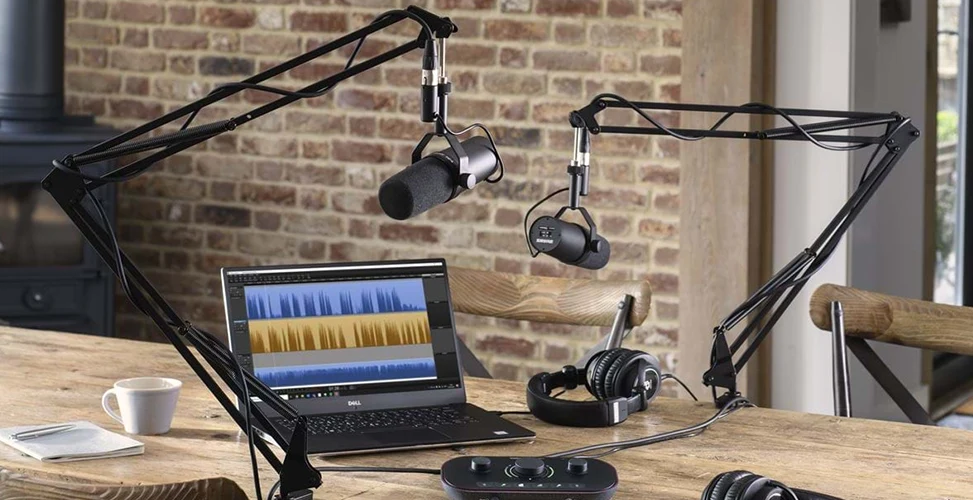
Many beginner podcasters pour their entire budget and energy into choosing a microphone and recording gear, while overlooking the editing stage and the impact it has on the podcast’s overall quality. Even with the best microphone, a raw audio file is full of background noise, long pauses, filler words, and uneven volume levels — and this is exactly where best podcast editing software steps in, turning raw audio into a polished, listenable episode. If you’d like to get familiar with these tools, both paid and free, don’t miss the rest of this article.
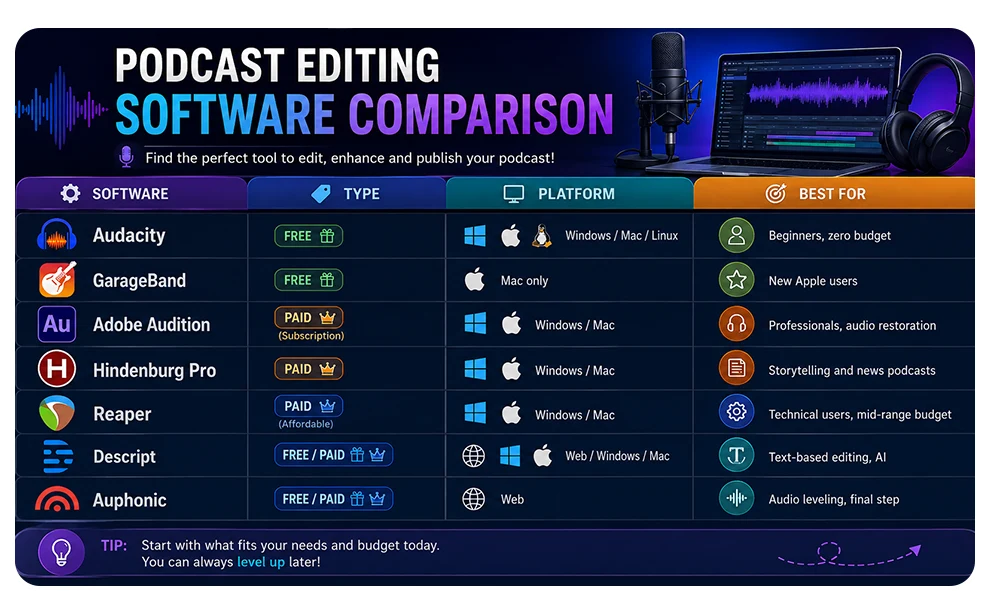
Podcast Editing Software Comparison Table
Why Your Editing Software Choice Matters as Much as Your Microphone
The production journey for an episode usually starts with writing your episode script before you record, then moves to recording, and finally lands in the editing stage — the point where the final audio quality is actually decided.
Choosing the wrong software at this exact stage can waste hours of your time, or even discourage you from publishing consistently. On the other hand, the right tool — whether free or paid — can turn editing from an exhausting chore into a short, enjoyable routine.
Of course, before picking software, we also recommend taking a look at essential podcast equipment guide to make sure the entire podcast production chain, all the way to great sound and publishing, is properly set up.
What to Look for in Podcast Editing Software (6 Criteria)
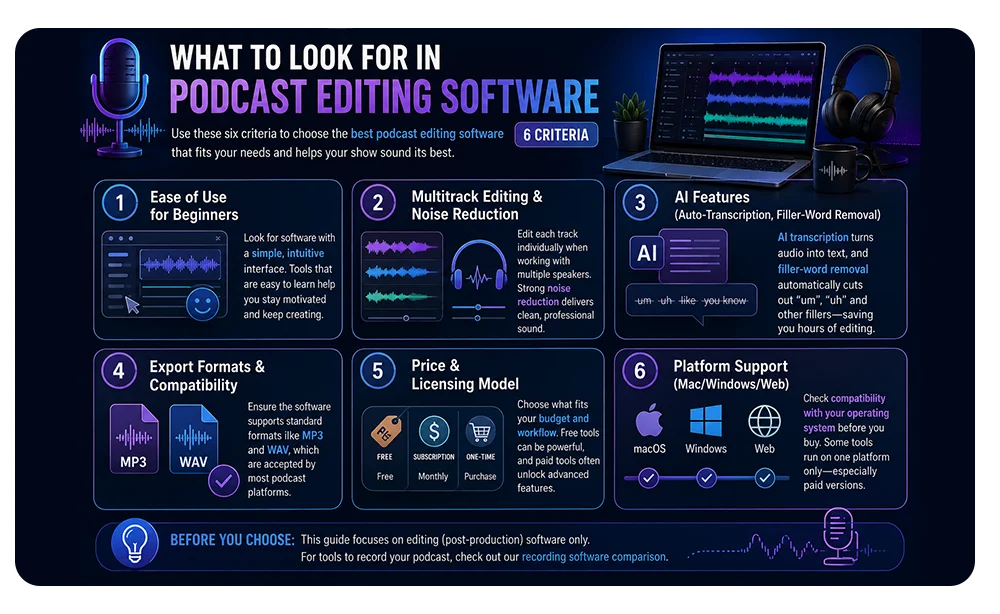
Before comparing different tools, it helps to know exactly what you’re looking for. The six criteria below will form the basis of your decision on best podcast editing software.
Ease of Use for Beginners
If you’re just starting out, look for podcast editing software for beginners with a simple interface. Complex tools that require a long learning curve can easily discourage you from continuing.
if you’re just starting to record your podcast, check out our guide to the best podcast recording software to find the right option for you.
Multitrack Editing & Noise Reduction
If your podcast has more than one guest, multitrack editing is essential so you can adjust each audio track separately. Good noise reduction is also what separates an amateur-sounding episode from a studio-quality one.
AI Features (Auto-Transcription, Filler-Word Removal)
Today’s tools use AI transcription to convert audio files into text, and with filler-word removal, they automatically cut out words like “um” and “uh.” These features dramatically cut down editing time.
Export Formats & Compatibility
Make sure the software you choose supports industry-standard export formats like MP3 and WAV, since most podcast publishing platforms accept these formats. Otherwise, you’ll also need to set aside time for format conversion.
Price & Licensing Model
Some tools are a one-time purchase, some run on a monthly subscription, and some are completely free and open-source. Your budget largely determines which best podcast editing software is right for you. That said, don’t forget that free tools sometimes outperform paid versions, and sometimes paid tools offer features you simply can’t find anywhere else.
Platform Support (Mac/Windows/Web)
If you work on a specific operating system, be sure to check the software’s compatibility before buying or installing, since some tools only run on one platform. This matters especially for paid versions, so you don’t end up wasting your budget.
Before moving on to best podcast editing software, keep in mind this article only covers editing (post-production) software; if you’re looking for tools for the initial recording stage, check out our recording software comparison.
Best Free Podcast Editing Software
If you’re just starting out or working with a limited budget, using free podcast editing software can save you money — you just need to know the best options, which include the following.
Audacity
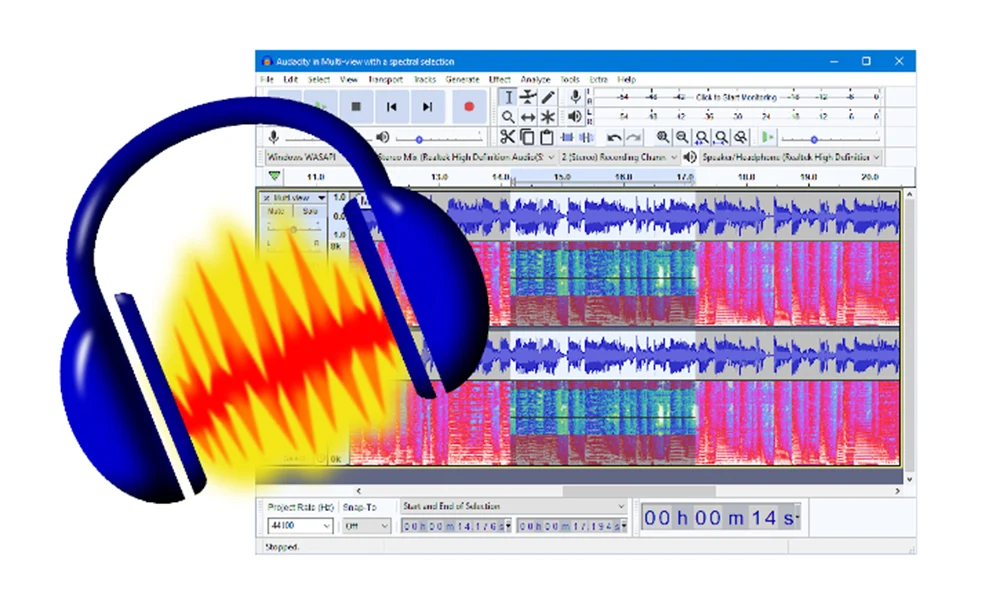
Audacity is probably the best-known free audio editing software in the world. This open-source tool supports multitrack editing, precise waveform editing tools, and noise-reduction plugins. Its interface looks a bit dated, but its real strength lies in its huge plugin library and flexibility. Audacity runs on Windows, Mac, and Linux, making it a logical choice for anyone looking for best podcast editing software without spending a dime.
GarageBand (Mac only)
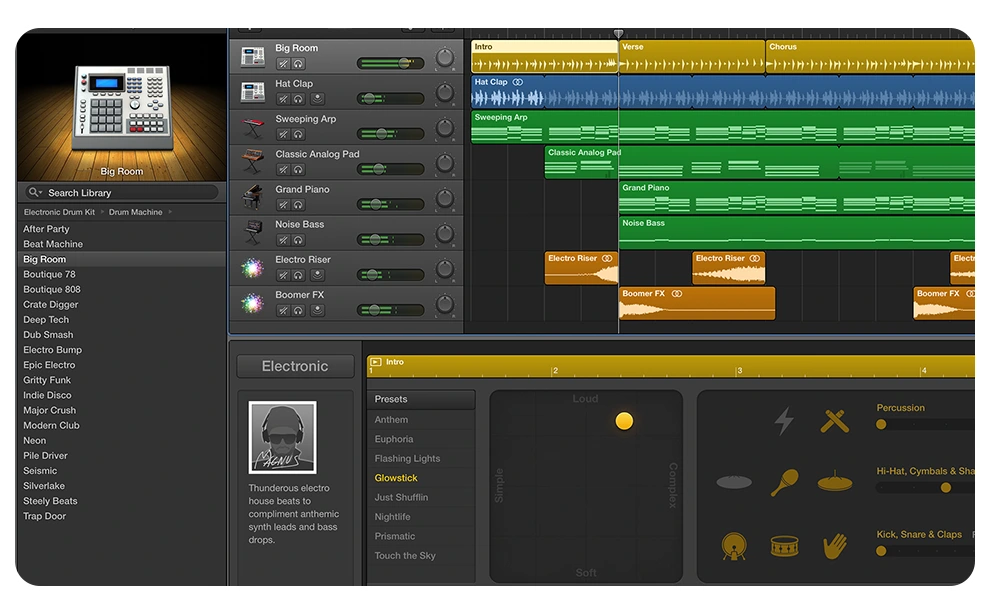
GarageBand, which comes pre-installed on Apple devices, is one of the easiest ways for Mac users to get into podcast editing. Its visual, drag-and-drop interface makes it an ideal option for beginners looking for podcast editing software Mac. That said, the lack of a Windows version is its main limitation.
Of course, if you haven’t set up your recording space yet, instead of hunting for editing software, take a look at podcast studio setup guide first.
Best Paid Podcast Editing Software
Once your podcast grows and your audience gets bigger, you’ll need more advanced audio editing tools, and it’s time to look at best paid podcast editing software.
Adobe Audition
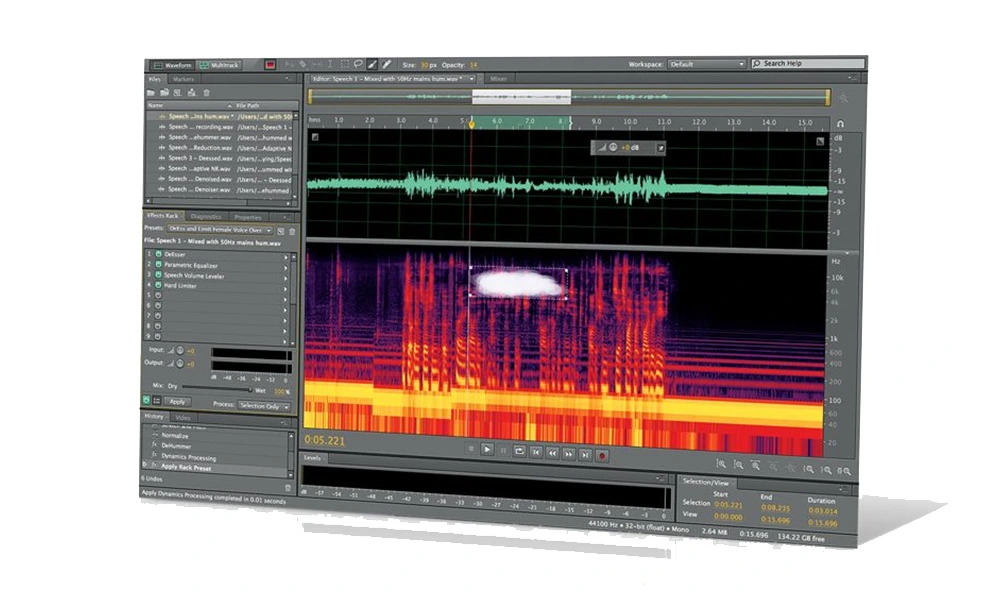
Adobe Audition is part of the Adobe Creative Cloud ecosystem and is one of the most powerful professional audio editing tools out there. Advanced audio restoration tools, professional-grade multitrack editing, and full integration with other Adobe products are among its strengths. If you follow this space, you’ve probably come across the Audacity vs Adobe Audition debate that often comes up in podcasting forums; overall, the main difference lies in the depth of the restoration tools and the level of professional control Adobe Audition offers, which is why many consider it the best podcast editing software.
Hindenburg Pro
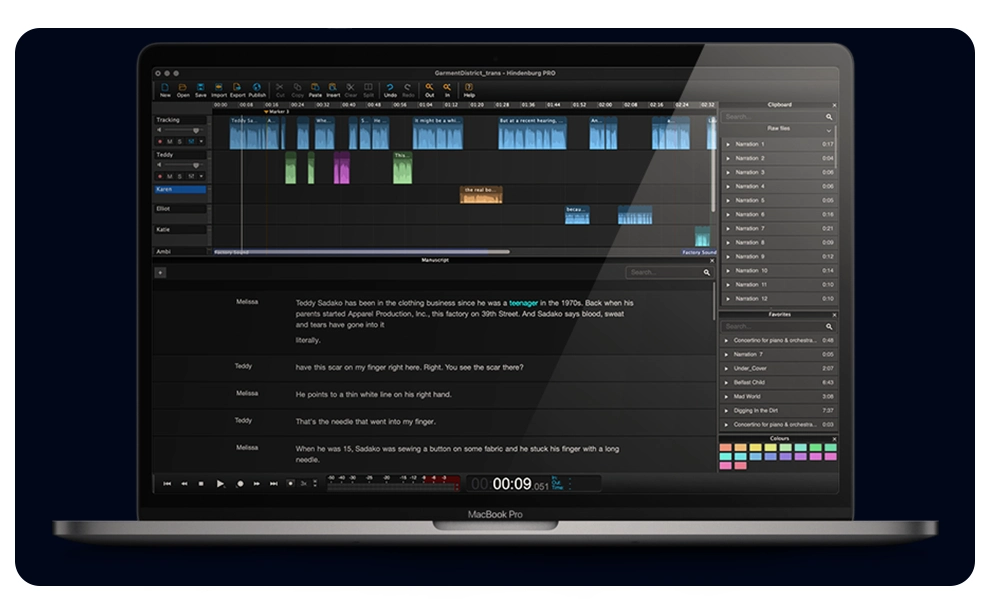
Hindenburg Pro is built specifically for audio storytelling and podcasting, and it’s one of the few tools with smart auto-leveling — meaning it automatically balances the volume levels of different guests’ voices. Its interface will feel very familiar to anyone with a radio or journalism background.
Reaper
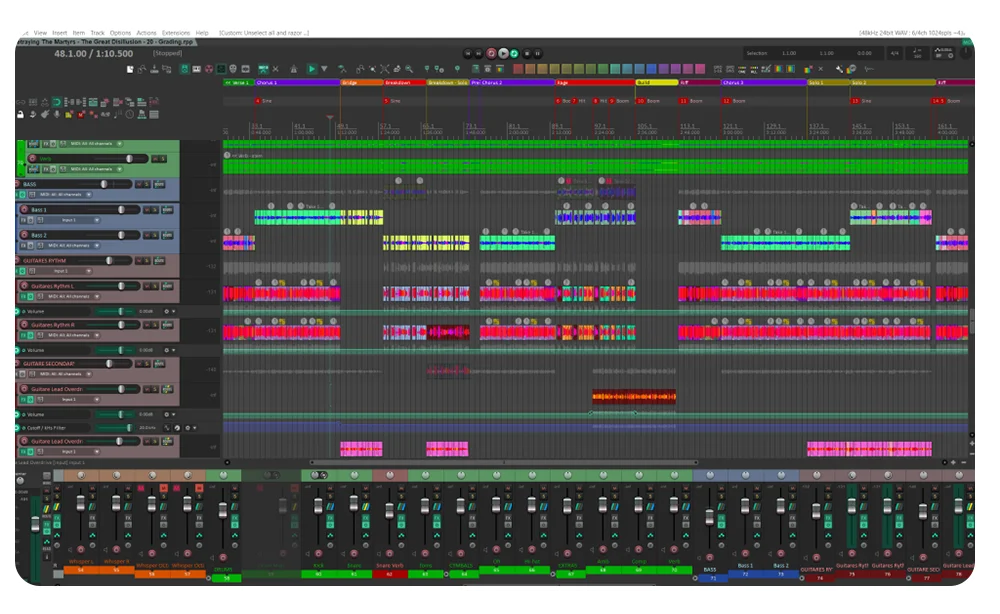
Reaper is a lightweight, fast, and highly customizable DAW that offers features on par with far more expensive software, at a much lower price. Its user community has produced a huge number of free plugins for noise reduction and audio quality improvement. Reaper runs on both Windows and Mac.
Best AI-Powered Podcast Editing Tools
The new generation of AI podcast editing tools has turned editing from a manual, time-consuming task into a semi-automated process.
Descript
Descript is one of the most revolutionary tools of recent years: it converts your audio file into text and lets you edit the audio by editing the text — exactly like editing a Word document. Its automatic filler-word removal feature cuts out “ums” and extra pauses in seconds. Descript also has recording capabilities, but in this article, our focus is only on its editing and post-production features.
Auphonic
Auphonic is a specialized tool for auto-leveling and automatic audio optimization. If you have episodes with multiple guests and varying recording quality, Auphonic automatically evens out volume levels, reduces noise, and prepares the output in standard export formats. Many professional podcasters use Auphonic as the final editing step before publishing.
Mac vs. Windows: Compatibility Considerations
If you’re looking for podcast editing software Mac, GarageBand and Descript are two hassle-free options, while Adobe Audition and Reaper also run well on macOS. On the other hand, anyone looking for podcast editing software Windows should note that GarageBand isn’t available to them, but Audacity, Adobe Audition, Hindenburg Pro, and Reaper are all solid options for Windows. Web-based tools like parts of Descript and Auphonic also work independently of the operating system, removing this limitation entirely.
Common Editing Mistakes Beginners Make
Many beginner podcasters, even when using best podcast editing software, make mistakes that affect the final quality of their work, including:
- Cutting too many pauses: Removing every natural pause makes a conversation sound unnatural and rushed.
- Ignoring noise reduction before the main edit: Starting the edit on a noisy file makes the work harder and the result weaker.
- Not using multitrack editing: Editing every guest’s audio on a single track makes precise volume and quality control nearly impossible.
- Choosing the wrong export format: Picking unsuitable export formats can lower audio quality on playback platforms.
- Relying entirely on auto-leveling without a final listen: Automated tools are great, but a final listen to the whole episode before publishing is still essential.
If you’d like to improve your initial recording quality before you even reach the editing stage, the articleimproving podcast sound quality can help.
When Professional Editing Support Beats DIY Software
Learning any of these tools takes time, and for many business owners or content creators, that time is worth more than the cost of paying for professional editing. If your episodes involve multiple guests, live interviews, or need broadcast-level quality, DIY editing — even with the best software — may not deliver the result you’re after.
In these cases, the best route is to book a professionally edited session at podcast studio dubai, where studio recording comes paired with a professional post-production team, so you get a polished, ready-to-publish episode without ever having to learn or use editing software.
Frequently Asked Questions
1. Is free podcast editing software good enough for a professional podcast?
Yes, tools like Audacity are fully capable of producing professional results, as long as you’re willing to put in the time and learn the skills needed for noise reduction and precise editing. The real limitation is usually time, not final quality.
2. What’s the easiest podcast editing software for complete beginners?
GarageBand for Mac users, and Descript for those who prefer editing audio through text editing, are usually the least hassle-free options to start with.
3. Do I need different software for Mac and Windows?
Not necessarily. Audacity, Adobe Audition, and Reaper run on both operating systems, but GarageBand is Mac-only.
4. Can AI tools like Descript replace manual editing?
Largely yes, for repetitive tasks like filler-word removal and transcription — but for creative decisions and final quality, manual listening and adjustment are still recommended.
5. What format should I export my final podcast episode in?
Most platforms accept MP3 at a suitable bitrate; if you also want a higher-quality archival file, WAV is a good option.
6. How long does editing a podcast episode usually take?
Depending on episode length, number of guests, and your skill level, editing an episode can take anywhere from about an hour to several hours; AI-based tools like Descript and Auphonic can significantly cut down that time.