

Choosing the best podcast mixer for a podcast with two or more XLR microphones directly affects sound quality, editing speed, and recording comfort. The market is full of devices that all promise “studio sound,” but each one is built for a particular kind of podcast. Some suit two-person interviews, some suit live streaming, and some suit people who want to record audio without a computer.
In this article, we first clarify whether you need a mixer at all. Then we offer a framework for comparing mixers and sound cards, review the selection criteria, and compare six models across different price ranges without bias. If you want a broader picture of the gear a podcast requires, be sure to read our complete Essential Podcasting Equipment guide as well.
Best Podcast Mixers in 2026: Quick Comparison
| Model | Best For | Recording Method | Standout Feature | Main Drawback |
|---|---|---|---|---|
| Rode Rodecaster Pro II | Best overall; professional multi-person podcasts | USB-C and memory card (multitrack) | Strong onboard processing and effect buttons | Higher price; menus can confuse beginners |
| Zoom PodTrak P4 | Best value for multi-guest shows | SD card (no computer needed) | Compact size and simple operation | Simpler onboard processing |
| Tascam Mixcast 4 | Best pro workstation; best USB podcast mixer | USB (multichannel) | Independent per-channel control | Larger size, less suited to mobile recording |
| Mackie DLZ Creator | Best for live streaming and video podcasts | Recording and live streaming at the same time | Easy control of multiple audio sources | Overkill for simple audio recording |
| Maono Maonocaster AM200 | Best budget podcast mixer | USB | Mic input, sound effects, and USB at a low price | Few inputs; limited processing quality |
| Yamaha MG10XU | Best analog mixer | USB (needs a computer) | Dedicated button for each feature; quick to learn | No standalone multichannel recording |
Do I Need a Mixer for Podcasting? Here’s the Honest Answer
The question “do I need a mixer for podcasting” is usually the first one asked by podcasters who have just started out or who plan to move their show from solo recording to group recording. The honest answer is that you don’t always need one. If you have only one microphone and plug it straight into your computer, a USB microphone or a simple audio interface will get the job done. Buying a mixer in that situation is usually an extra expense with no real use.
But as the number of hosts and guests grows, the situation changes. When several people speak at the same time, you need a range of audio-equipment features:
- Separate level control for each person
- Several independent headphone outputs
- Separate recorded tracks
For shows with in-person or remote guests, a podcast mixer for multiple guests is the simplest way to control all the voices in one place. You can adjust each person’s level independently, provide latency-free headphone monitoring, and record cleaner audio for editing. If you’re planning a two-host show, Podcast Setup for Two explains which equipment you need and when a mixer becomes necessary.
Overall, there is a rule of thumb that helps you decide whether to buy a mixer: if you record most episodes alone or with one other person, buying a mixer is probably not necessary. If you usually have three or more people at the microphones, if you have many remote guests, or if you want to record without depending on a computer, a mixer is worth buying.
Podcast Mixer vs Audio Interface: Which One Fits Your Show?
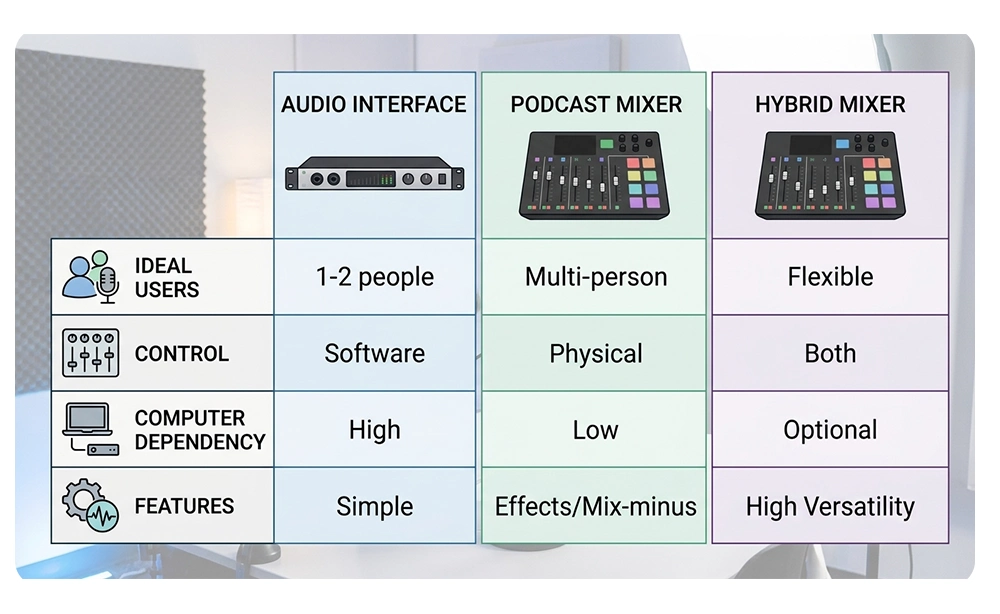
The podcast mixer vs audio interface comparison comes down to physical control, recording flexibility, and computer dependence. Both can deliver high-quality audio, but the right choice depends on your setup and workflow.
When an Audio Interface Is Enough
For one or two microphones and computer-based recording, an audio interface like the Focusrite Scarlett 2i2 is usually sufficient. It offers 48V phantom power for condenser microphones, a compact design, and a lower price than multichannel mixers.
Its main limitations are fewer physical controls, limited inputs and headphone outputs, and complete dependence on the computer during recording.
When a Mixer Is the Better Choice
A mixer is ideal for shows with multiple hosts or guests. It lets you adjust each person’s audio levels directly, provides individual headphone monitoring, and reduces reliance on computer software.
Many podcast mixers also offer sound effects, onboard processing, and standalone recording. Podcast-specific models can simplify audio management for remote guests, too.
Hybrid Mixers: The Best of Both Worlds
Hybrid mixers combine physical controls with USB audio-interface functionality. Many can record to a computer and some also support standalone operation.
They’re a flexible choice for podcasters planning to expand their setup. Ultimately, the best audio mixer for podcasting depends on the number of speakers, recording method, and future needs—not just your budget
6 Things to Look for When Choosing a Podcast Mixer
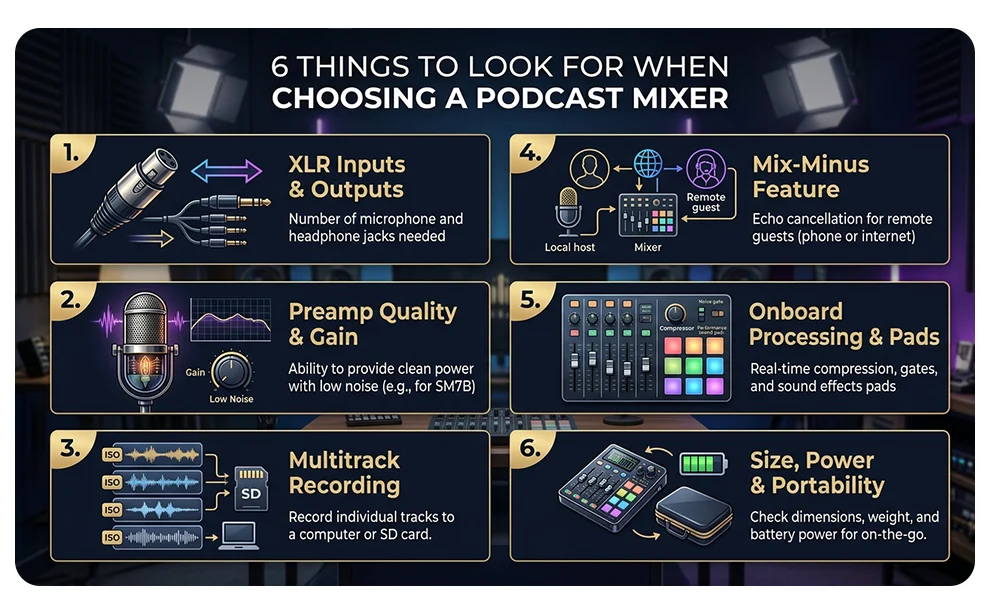
Before moving on to the models, you need to know the criteria that make choosing the best podcast mixer easier. When a buyer decides based on looks or price rather than real need, the likelihood of regret is high. The six criteria below give you a simple framework for comparing devices so that you don’t regret your purchase.
- XLR Inputs and Headphone Outputs: The number of XLR inputs should at least match the number of people who speak at the same time, plus one or two extras for unexpected guests or another sound source. Headphone outputs should match too, so everyone can adjust their own sound independently.
- Preamp Quality and Gain: The preamp determines how clean and noise-free your recording is. Popular dynamic mics like the Shure SM7B need high gain, and a weak preamp adds noise at high levels, so compare the mixer’s gain specs with your mic. For help choosing a mic, see our guide to the Best Podcast Microphones.
- Multitrack Recording (USB and SD Card): Recording each person on a separate track makes editing much easier. Some devices record to a computer over USB, others to a memory card. If you want a USB mixer, make sure it supports multichannel recording, not just a combined stereo output.
- Mix-Minus for Remote Guests: This lets a remote guest hear everyone except themselves, so there’s no delayed echo of their own voice. If you have online guests, it’s essential, and it should be easy to activate.
- Onboard Processing and Sound Pads: A built-in compressor and noise gate tidy up your sound without software, and effect buttons let you play jingles or sound effects. They’re not a priority for simple conversational shows, but they’re useful for busy, high-energy ones.
- Size, Power and Ease of Use: If you record on the move, look for battery or power bank operation. A device that takes hours to learn gets used less and can cause mistakes mid-recording, so watch reviews and demo videos before buying.
Best Podcast Mixers in 2026 at a Glance
For a quick overview of this year’s best podcast mixers, see the models summarized in a table. Confirm exact specifications, prices, and availability on the manufacturer’s website before buying, as they may have changed. The comparison table includes the model name, category, and best use:
- Rode Rodecaster Pro II: Best overall choice; suitable for professional multi-person podcasts
- Zoom PodTrak P4: Best choice for multi-guest shows; recording independent of the computer
- Tascam Mixcast 4: Professional workstation; more physical control and multichannel recording
- Mackie DLZ Creator: Suitable for live streaming and video content production
- Maono Maonocaster AM200: Affordable all-purpose option; a best budget podcast mixer to start with
- Yamaha MG10XU: Reliable analog mixer with USB connectivity for those who want direct control.
The Best Audio Mixer for Podcasting: 6 Top Picks for Every Budget and Setup
We picked these six models based on multichannel recording quality, ease of use, features, and price fit. No model suits everyone, so judge each one against the criteria above, not just the ranking, to find the best audio mixer for podcasting for your real needs.
-
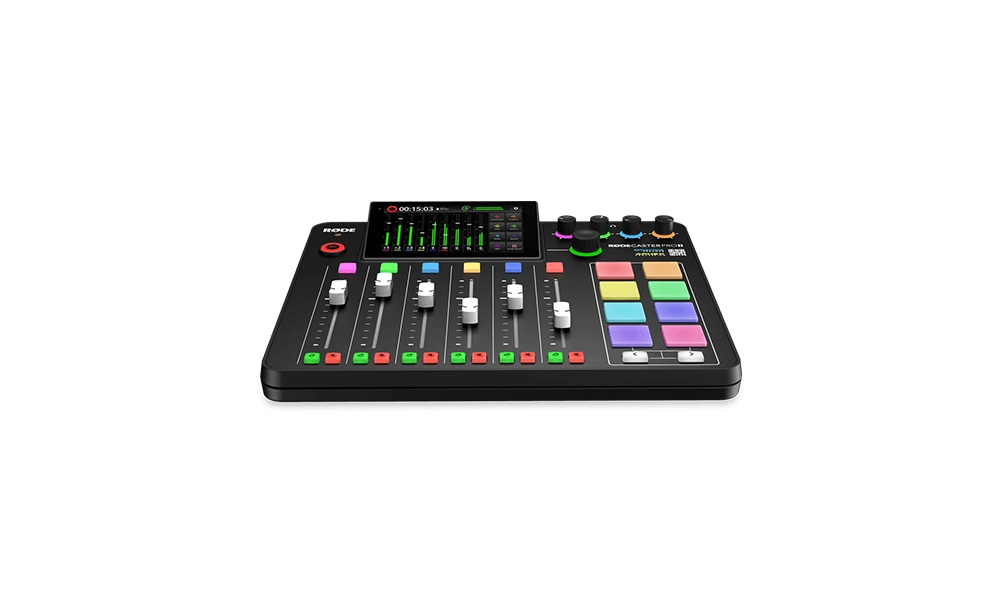
Best Overall: Rode Rodecaster Pro II
Multiple inputs and headphone outputs, strong onboard processing, and effect buttons. It supports multitrack recording over both USB-C and memory card, so it works with a computer or standalone. A sensible one-time investment, though it costs more than competitors and its many menu options can confuse beginners.
-
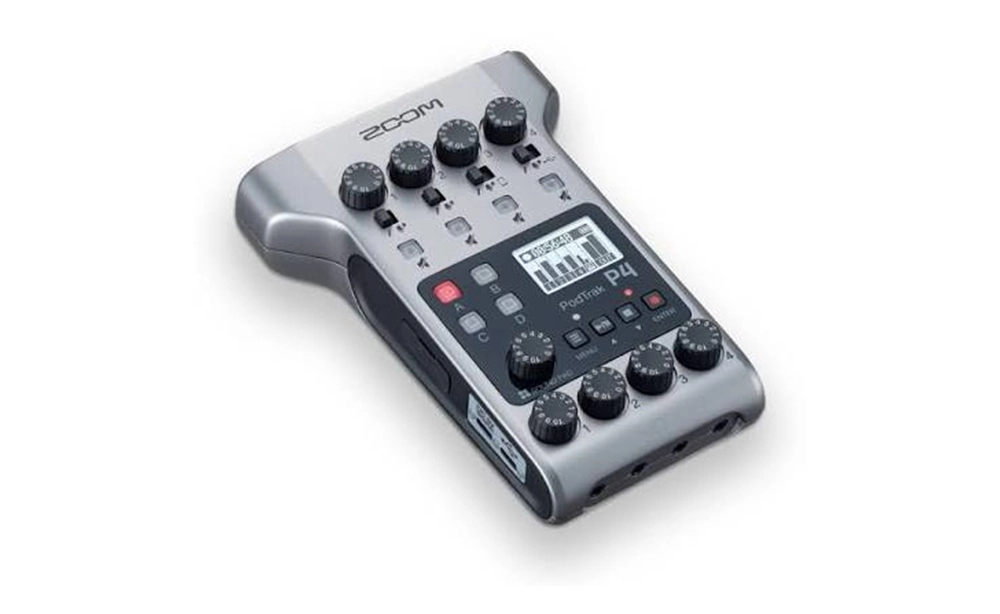
Best Value for Multi-Guest Shows: Zoom PodTrak P4
The PodTrak P4 is a compact device for shows with several hosts or guests. SD card recording is one of its main features and makes recording possible without a computer. Its small size and simple operation make it an attractive option for new podcasters with several guests. Compared with more expensive devices, it has simpler onboard processing and is adequate for ordinary conversation.
-
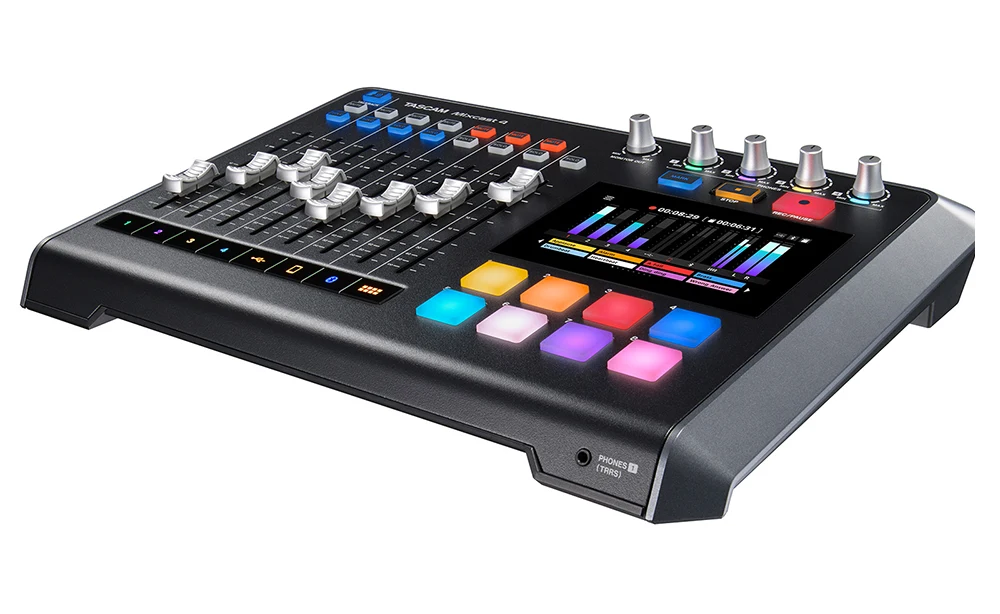
Best Pro Workstation: Tascam Mixcast 4
Independent per-channel control and multichannel recording give professional producers more precise sound balancing, and it’s also a good option for the best USB podcast mixer. Its larger size makes it less suited to mobile recording.
-
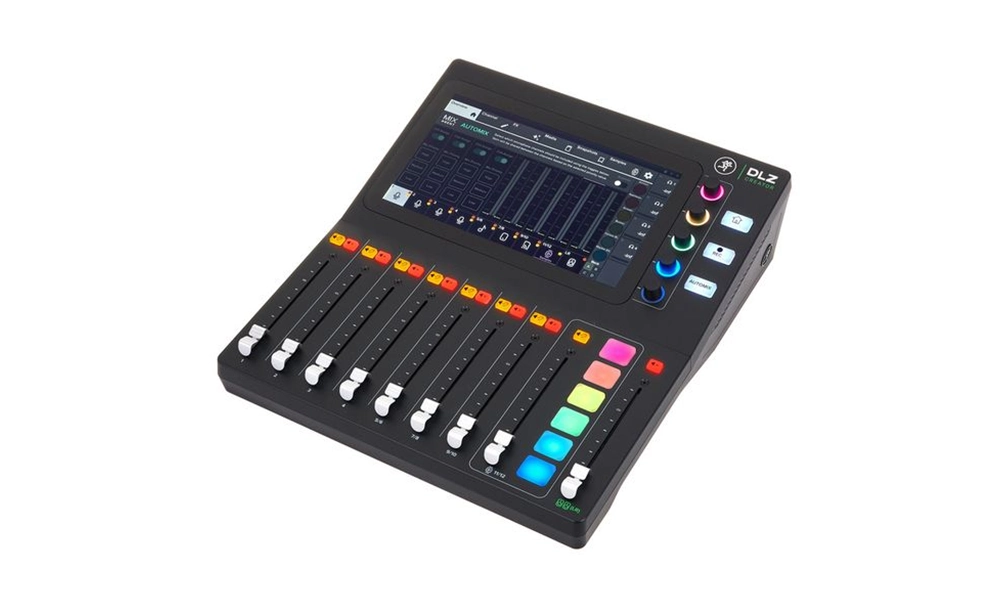
Best for Live Streaming: Mackie DLZ Creator
The DLZ Creator is built for people who record a podcast and stream live at the same time. Easy control of multiple audio sources and streaming-friendly features make it attractive for video podcasts and live shows. If your content is a mix of audio and video, this device can bring everything together. But if you only have simple audio recording, its features may exceed your needs, and there’s no point spending extra on it.
-
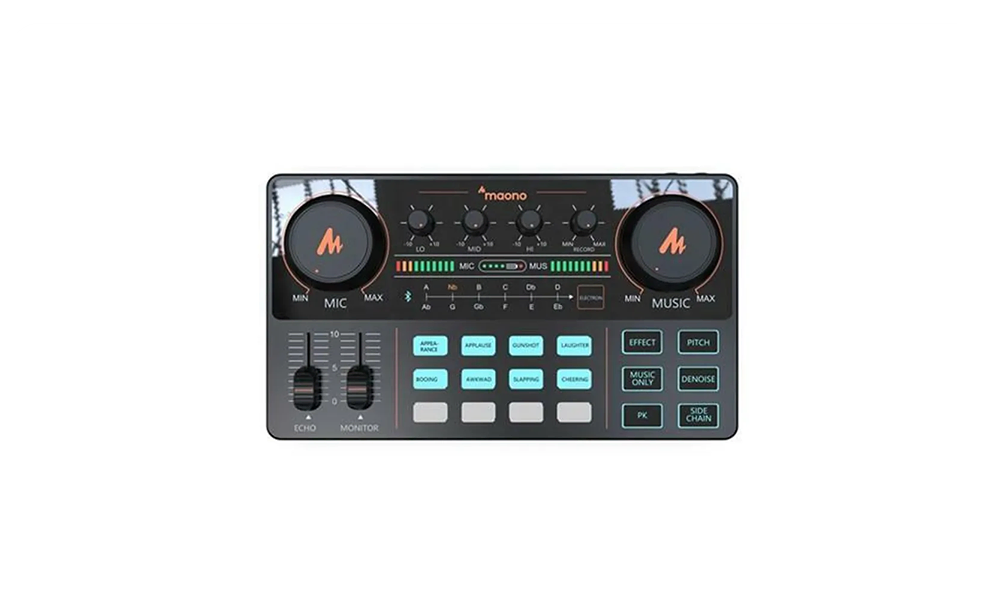
Best Budget All-in-One: Maono Maonocaster AM200
If you have a limited budget, this model offers a combination of features such as a microphone input, sound effects, and USB connectivity at a low price. As a best budget podcast mixer, it’s acceptable for getting started and trying out the recording process, and it gives you the chance to discover your real needs without heavy investment. On the other hand, its number of inputs and processing quality can’t be compared with higher-tier models, and it won’t be adequate for larger podcasts.
-
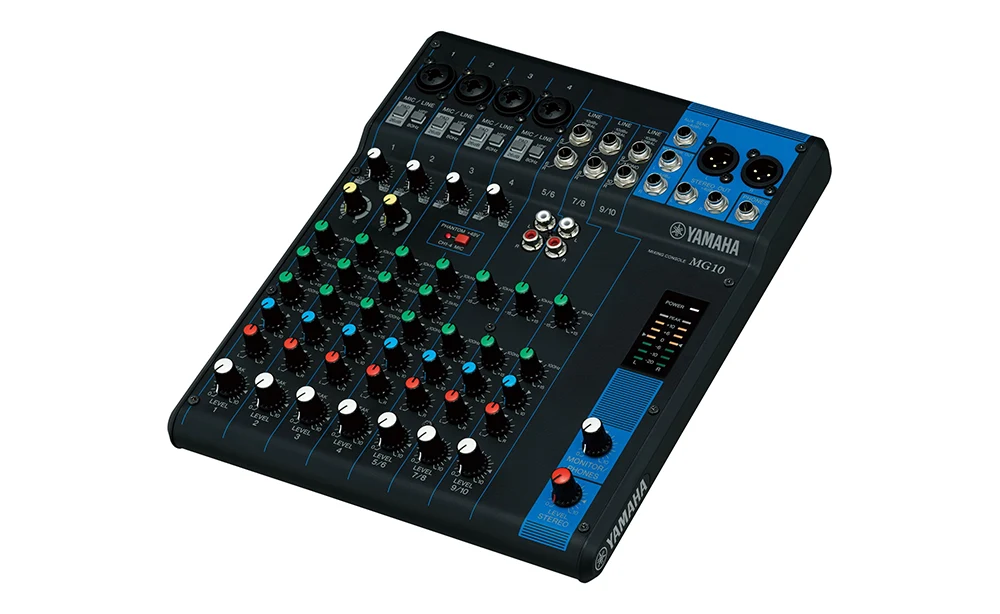
Best Analog Mixer: Yamaha MG10XU
This model is for people who prefer direct sound control without complicated menus. It has an analog design, multiple inputs, and USB connectivity, and thanks to its simplicity, it stays reliable over time. Because each feature has its own dedicated button, it’s also quicker to learn than digital models. Its weakness is the lack of built-in standalone multichannel recording and the need for a computer to record.
How to Set Up a Podcast Mixer for Multiple Guests (Including Remote Ones)
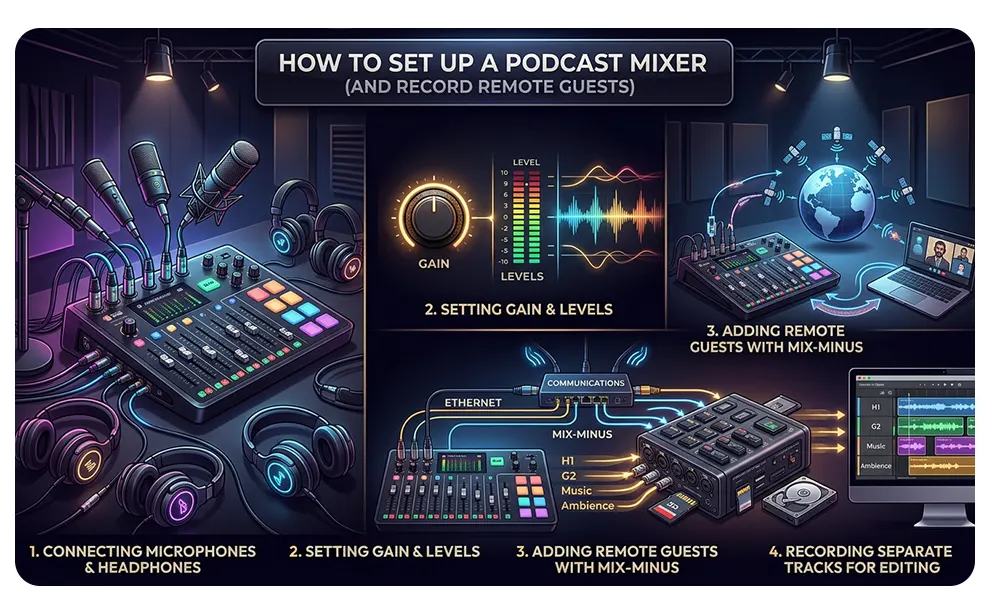
Setting up a mixer looks complicated at first glance, but if you follow the right order, it takes a few minutes. The most important point is to do the settings before the real recording and take a short test recording.
-
Connecting Microphones and Headphones
Connect mics to the inputs with XLR cables and plug each person’s headphones into their own output. If you use a condenser mic, turn on phantom power only after the mic is connected, to avoid a loud pop and strain on the device. Then connect the mixer to your computer via USB or insert a memory card. For the whole studio-building process, see our complete podcast studio setup guide.
-
Setting Gain and Levels
Gain staging means gradually adjusting the sound level from input to output. Test each mic separately at your normal speaking volume and set the gain so peaks don’t reach the red zone, then balance each channel’s level. Record slightly below the maximum: audio that’s a bit quiet can be boosted, but distorted audio can’t be fixed.
-
Adding Remote Guests with Mix-Minus
Connect the computer or phone output to its dedicated mixer input and activate mix-minus so the guest hears only the others, not their own voice. Do a short test with the guest to check for echo and balance their level. If echo persists, check the call software settings.
-
Recording Separate Tracks for Editing
If your device supports separate recording, make sure each input is saved on its own track before starting. This lets you remove noise or fix one person’s audio without affecting the others and saves editing time. Afterward, keep files in a tidy folder with clear names.
Common Podcast Mixer Mistakes That Hurt Your Audio
- The first common mistake is setting gain incorrectly. Audio that is too loud creates distortion that can’t be fixed later, and audio that is too quiet raises the noise as well when it’s amplified. It’s best to set aside enough time to test sound levels.
- The second mistake is turning on all the features and onboard processing without understanding them. Too much effect makes the sound artificial and can’t be separated from the recorded file afterward. It’s best to keep processing mild or also save a raw track.
- The third mistake is ignoring the recording environment. A mixer is never a substitute for a suitable room and a good microphone. To further improve your podcast’s sound, read improving podcast sound quality.
- The fourth mistake is buying a device more expensive than you need. If you’re still facing the question do I need a mixer for podcasting, go back to the opening section of the article and assess your real needs. Also, before buying, review the podcast mixer vs audio interface comparison again, because sometimes having a sound card is enough to start. If your podcast has several participants, choosing a suitable best podcast mixer is usually a more sensible investment than constantly upgrading your microphone.
Skip the Gear Hunt: Record With a Pro Mixing Setup at Studio 321
If you don’t want to spend a lot of time and money on buying, setting up, and testing equipment, recording in a ready-made studio is a simpler route. At Studio 321, you can record your podcast professionally without buying or setting up any equipment, and focus directly on your content. Sound setup, microphones, and recording are all prepared in advance, and all you have to do is have your conversation.
This option suits people who are still not sure which best podcast mixer fits their show, since they can try a professional recording experience before buying. Also, for multi-person podcasts or episodes that need high quality, recording in a studio is a suitable alternative to setting up your own equipment. If you’ve already bought a podcast mixer for multiple guests but still don’t feel comfortable using it, a few recording sessions in the Dubai podcast studio can help you with that as well.
Frequently Asked Questions
Do I need a mixer to start a podcast?
Not necessarily. For one person, a USB microphone or audio interface is enough. A mixer becomes more sensible when several people record at the same time or when you want physical control and recording independent of the computer.
What is the difference between a podcast mixer and an audio interface?
An audio interface is mostly a sound converter for the computer and handles control through software. A mixer has physical controls, several headphone outputs, and often onboard processing, and it may also work without a computer.
How many channels do I need for a podcast with two, three or four people?
In general, one XLR input per person is enough. It’s best to allow for one extra input for a sudden guest or another sound source so that you don’t have to replace the device as the show grows.
Can I use a USB microphone with a podcast mixer?
It depends on the model. Some mixers have a USB input and some accept only XLR. Check the device’s specifications before buying, because a USB microphone input isn’t available on all models.
What is mix-minus and do I need it?
mix-minus is a signal that removes each remote guest’s own voice from what they hear so that no echo is created. If you have an online guest, you need it; if you only record in person, you don’t.
Can a podcast mixer record without a computer?
Yes, many models record audio to a memory card and don’t need a computer. This feature is useful for mobile recording and for reducing dependence on a computer; check for it in the device’s specifications.